Music Theory Games for Middle School That Actually Teach Something
A practical guide to music theory games for middle school choir, band, and orchestra: when to use which game, for what skill, and for how long.
Search for music theory games for middle school and you will mostly find game websites and apps, such as Musicca, Level Up, and Songtive. Those can give students something to click. What is harder to find is a teacher's guide: when to use which game, for which skill, and for how long, so the game actually teaches something and rehearsal still happens.
This is that guide. It is written for middle school choir, band, orchestra, and general music. The examples use real games in Three Minute Theory, with the actual names, how each one works, and how I would use it in a class period. It is not a catalog of every title, and it is not a 45-minute station plan. If you want a full centers rotation, see music theory centers for middle school. If you want rhythm games in more depth, see band rhythm games that build reading.
What Makes a Music Theory Game Worth the Minutes
Before you put a game on the board or assign it to devices, run it through this checklist:
- It is tied to one skill. Note names, rhythm, key signatures, or intervals. A game that is only "fun Friday" rarely changes what students can do on Monday.
- Students have to read or hear something real. A staff, a rhythm line, a key signature, or a sung pitch, not only a cartoon button.
- Wrong answers teach. An explanation, a faded hint, or a chance to try the same idea again is better than a buzz and a new question.
- It is short enough to use often. Three to five minutes in rehearsal beats one long game day a month.
- It can go back into the music. After the question or the level, students should find the same idea in the piece on the stand and sing or play it.
A game can be a lot of fun and still fail this list. The ones below are built to pass it, as long as you pick the skill first and the game second.
How Three Minute Theory Games Work
On the teacher dashboard, open Music Games and browse By Game or By Chapter. Any game can play any chapter, so the same title can review time signatures on Monday and key signatures on Tuesday. You can also mix up to three chapters in one assigned game when you want a short review set.
The By Game view has filters for Sports, Arcade, Quiz show, Racing and runners, Class mode, and Quick. The first page of the menu shows titles such as TMT Basketball, TMT Maze, and TMT Soccer. Scroll to see the rest, including later games such as TMT Music Runner and TMT Paintball.
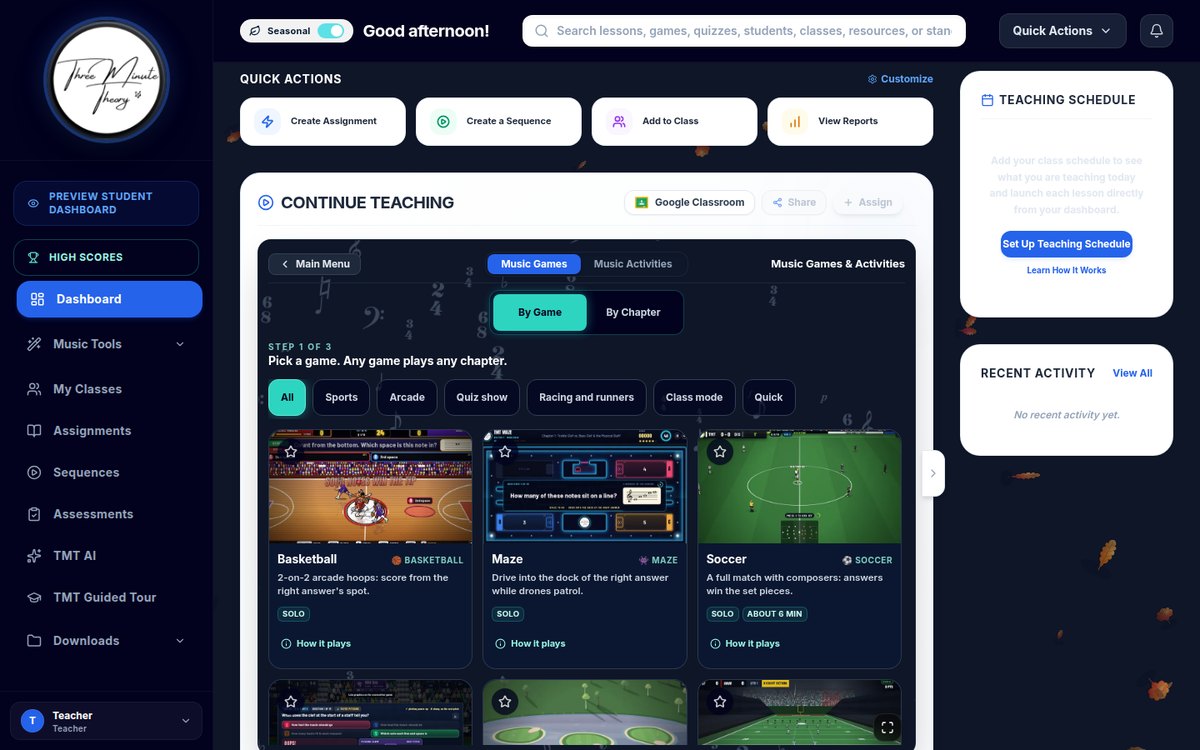
The By Game menu on the teacher dashboard. The heading says any game plays any chapter. This shot shows Basketball, Maze, and Soccer on the first page, with filters for Sports, Arcade, Quiz show, Racing and runners, Class mode, and Quick.
When you assign a game, you choose a level, an optional due date, and whether students see the class leaderboard. For middle school, use Medium (middle school). Students can replay as often as they like, and their grade is their best accuracy. Submitted scores show on the class High Scores board.
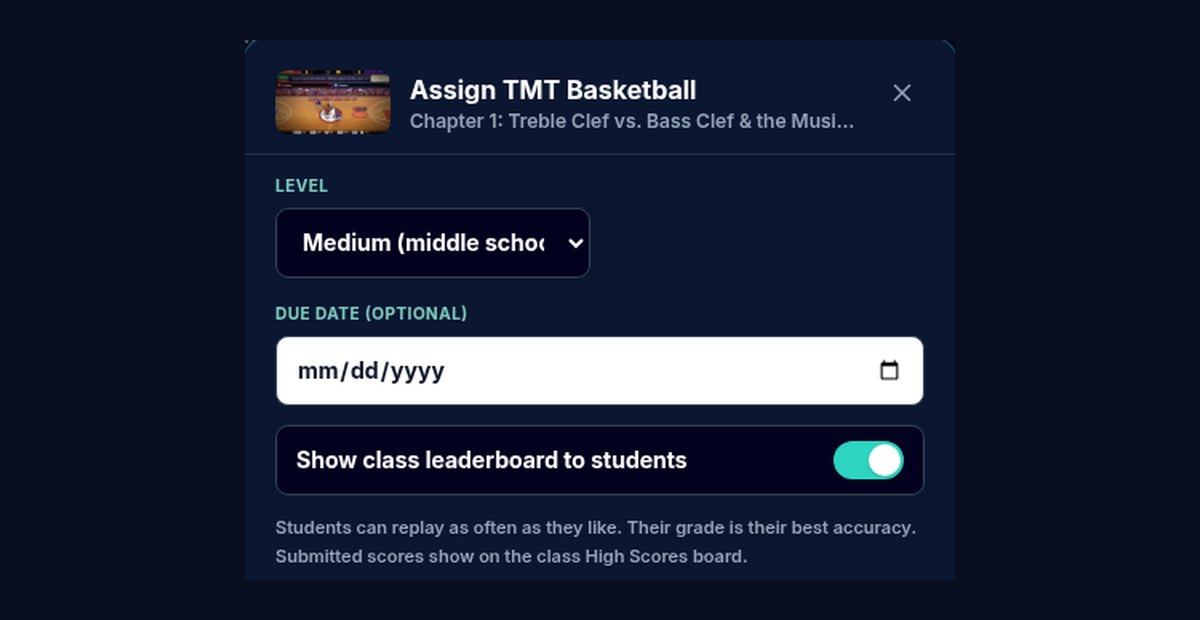
The Assign TMT Basketball dialog. Level is set to Medium (middle school), the due date is optional, and the class leaderboard is on. The dialog itself says students can replay and that the grade is their best accuracy.
You do not have to assign a game for it to be useful. Many of the best uses are on the projector, with the whole room answering together, then going straight back to the music.
A Simple Way to Choose the Game
Start with the moment in class, then pick the game that fits.
- First 3 to 5 minutes, whole class, one screen: TMT Trivia (a 10-question round) or Rhythm Rumbler (one level, about three and a half minutes).
- Right after a 3-minute lesson: TMT Trivia on that same chapter, so the questions match what students just saw.
- Scales, key signatures, or pitch matching: Pitchy Bird, then a short Trivia or Basketball round. See how to teach major scales and how to teach key signatures.
- Intervals and inner hearing: Pitchy Bird or Pitch Perfector, then connect the interval to the music. See how to teach intervals.
- Note names: Note Namer, or Trivia on the clef chapter. See how to teach note reading.
- Independent practice or early finishers: assign TMT Basketball, TMT Bowling, or another By Game title at Medium.
- Rhythm reading in a small group: Rhythm Racer or Astro-Rhythm Rampage. More detail is in the band rhythm games post.
- Stations in a 45-minute class: use the four-station plan in music theory centers for middle school.
- Friday review: Live Game Challenge, or Play as a class in TMT Trivia, then flash the High Scores board.
If a class set of Chromebooks is running slowly, start with TMT Trivia, TMT Basketball, or TMT Flappy Note. Some of the 3D sports and runner games are heavier on school machines.
Whole-Class Warm-Up: TMT Trivia
TMT Trivia is the game I use most on the projector. It is a game show in rounds: Quick-Fire, Picture Reveal, Vanishing Answers, a true-or-false Lightning Round, Sort It!, Listen Up! for the ear-training chapters, and a Final Wager. It has three lifelines (50/50, Ask the Audience, and Ask Beethoven). You can set the game from 10 to 30 questions. The default is 10, which is the right length for a middle school warm-up.
After each answer, Trivia shows a short explanation. That is what makes it a teaching tool and not only a quiz bowl. Read the explanation out loud, then have students find the same idea in their own music before the next question.
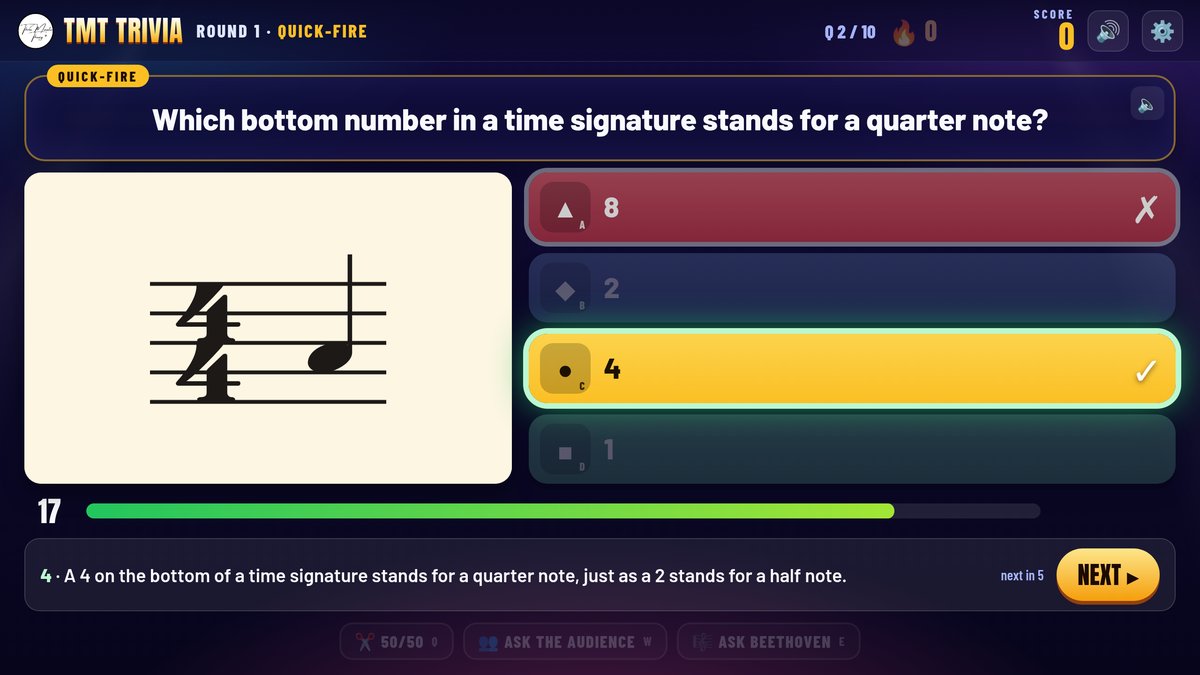
TMT Trivia in a Quick-Fire round on time signatures. The class just answered that a 4 on the bottom stands for a quarter note. Read the explanation, then have the band clap one measure of the piece on the stand.
If students have devices, Play as a class runs the game on the room screen while students answer on their own devices. Between questions the room sees the leaderboard, and at the end there is a podium. You can save the scores to your gradebook. Students need to be signed in to join.
When I would use it, and for how long:
- Bell ringer or first five minutes: 10 questions on this week's chapter.
- After a 3-minute lesson: the same 10 questions, so the video and the game share a skill.
- Key signatures or scales: open Chapter 8 and name each key, then play the scale. Our key signatures and major scales posts walk through that habit.
- A longer review: raise the question count, or use Play as a class, when you have 10 to 15 minutes and want every student to answer.
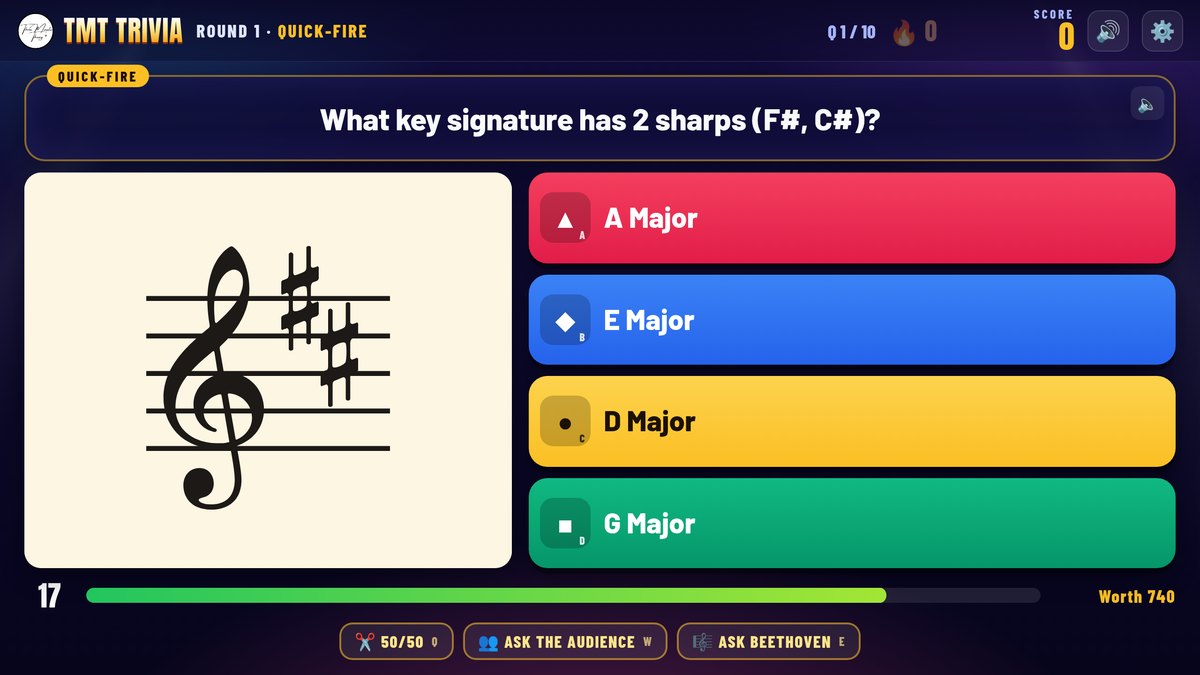
TMT Trivia on Chapter 8, asking which major key has two sharps. After the class names D major, have the band or choir sing or play that scale before the next question.
For even shorter openers, a music theory bell ringer can use the same Trivia questions in a three-minute slot.
Whole-Class Pulse: Rhythm Rumbler
Rhythm Rumbler is the projected rhythm warm-up in Music Tools, not in the By Game menu. You project it for the whole class to clap and play along with. There are 30 levels, grouped on menus for Levels 1 to 10, 11 to 20, and 21 to 30, so you can start where the group is and move up through the year.
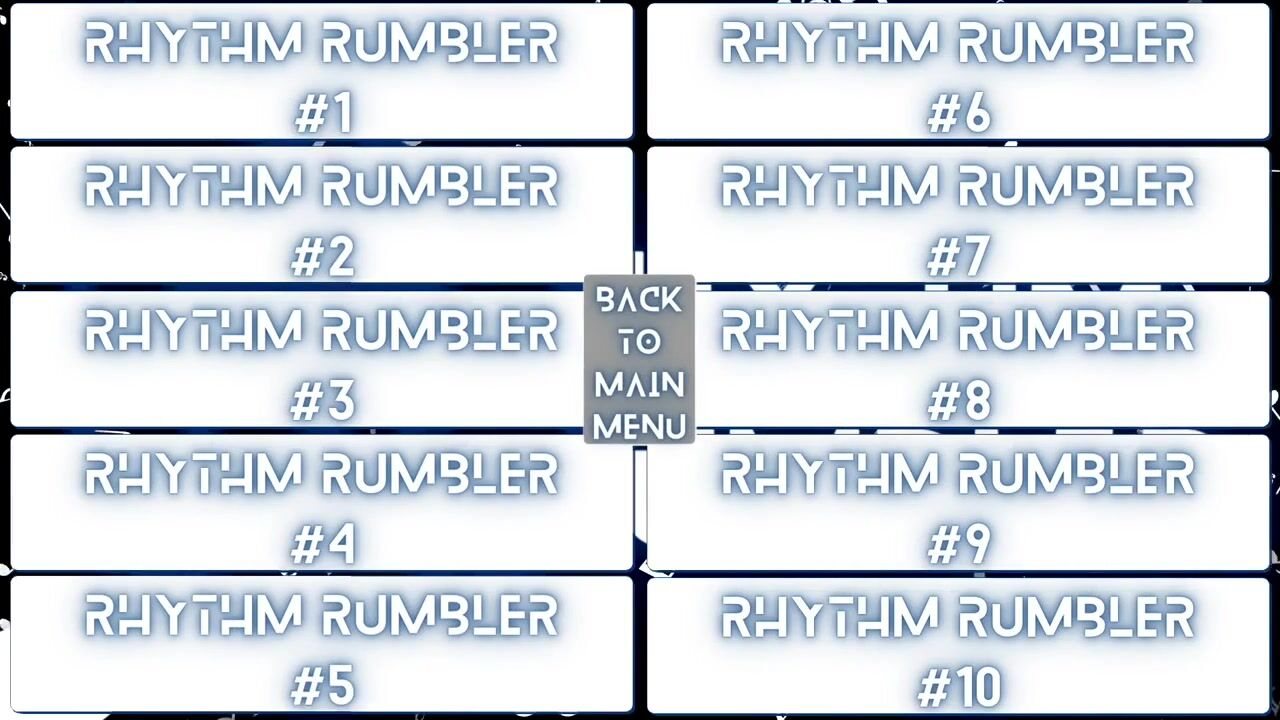
The Rhythm Rumbler menu for Levels 1 to 10. Pick a level and the rhythm starts scrolling.
Each level is one rhythm line that scrolls past a play line. A level runs about three and a half minutes, and the help fades as you go:
- Round 1 writes the counts above each note and labels the rests. A clapping accompaniment helps the room lock in.
- Round 2 takes the written counts away, so students have to read on their own.
- Later rounds and a Bonus Round keep the reading going, including tempo changes and dynamics.
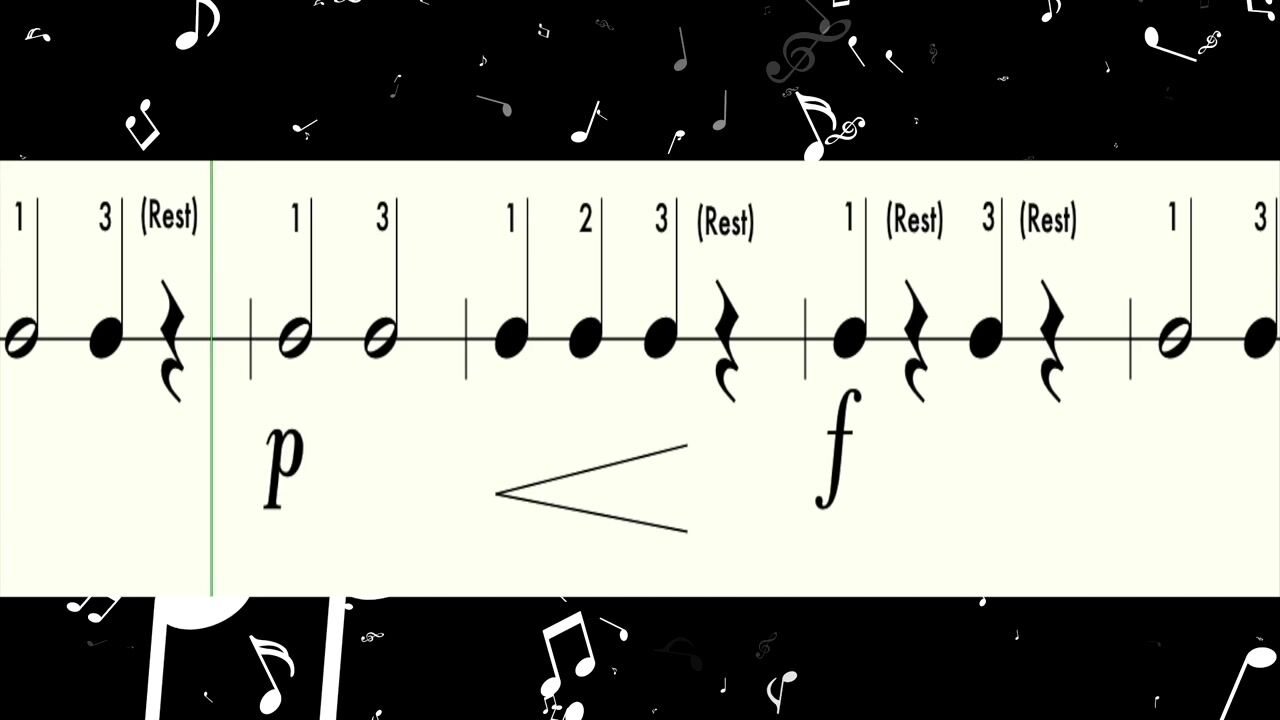
Rhythm Rumbler, Round 1. Counts and rests are written in, so a mixed-ability class can find the beat together.
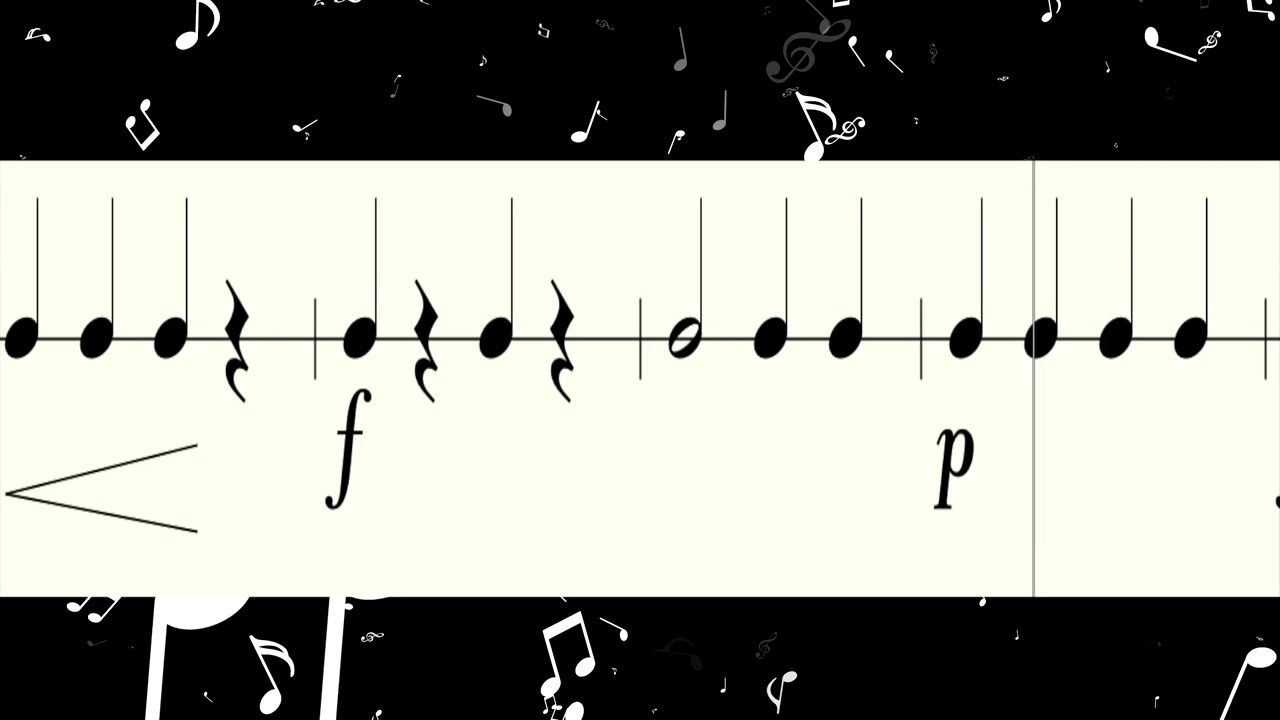
Round 2 of the same level. The counts are gone, which is the reading skill you want before the rhythm goes back into the concert music.
Use it at the start of rehearsal, or as a three-to-five-minute reset at the end. Start on Level 1, clap Round 1, then count out loud on Round 2. Move up a level when the group can read Round 2 cleanly. After the level, have students play or sing the line on a single pitch, then find a similar rhythm in the piece on the stand.
Rhythm Rumbler also comes with a reproducible sheet music PDF of all 30 rhythms. The printed version has no counts written in, which makes it a good next step after the projected version. For later levels and a week-by-week plan, use the band rhythm games post. The same tool works in choir and orchestra, not only in band.
Pitch and Ear: Pitchy Bird, Pitch Perfector, and Note Namer
Naming a scale and hearing it are different skills. Pitchy Bird, Pitch Perfector, and Note Namer live in Music Tools, under Audiation Arcade.
Pitchy Bird is a pitch-matching game. You pick the key, and the screen can show solfege lanes or a staff. A student sings or plays into the microphone, and the bird flies to the matching pitch. If you have no mic, students can click the lanes instead. Project it, have one volunteer fly the scale, then have the whole class sing or play that scale.
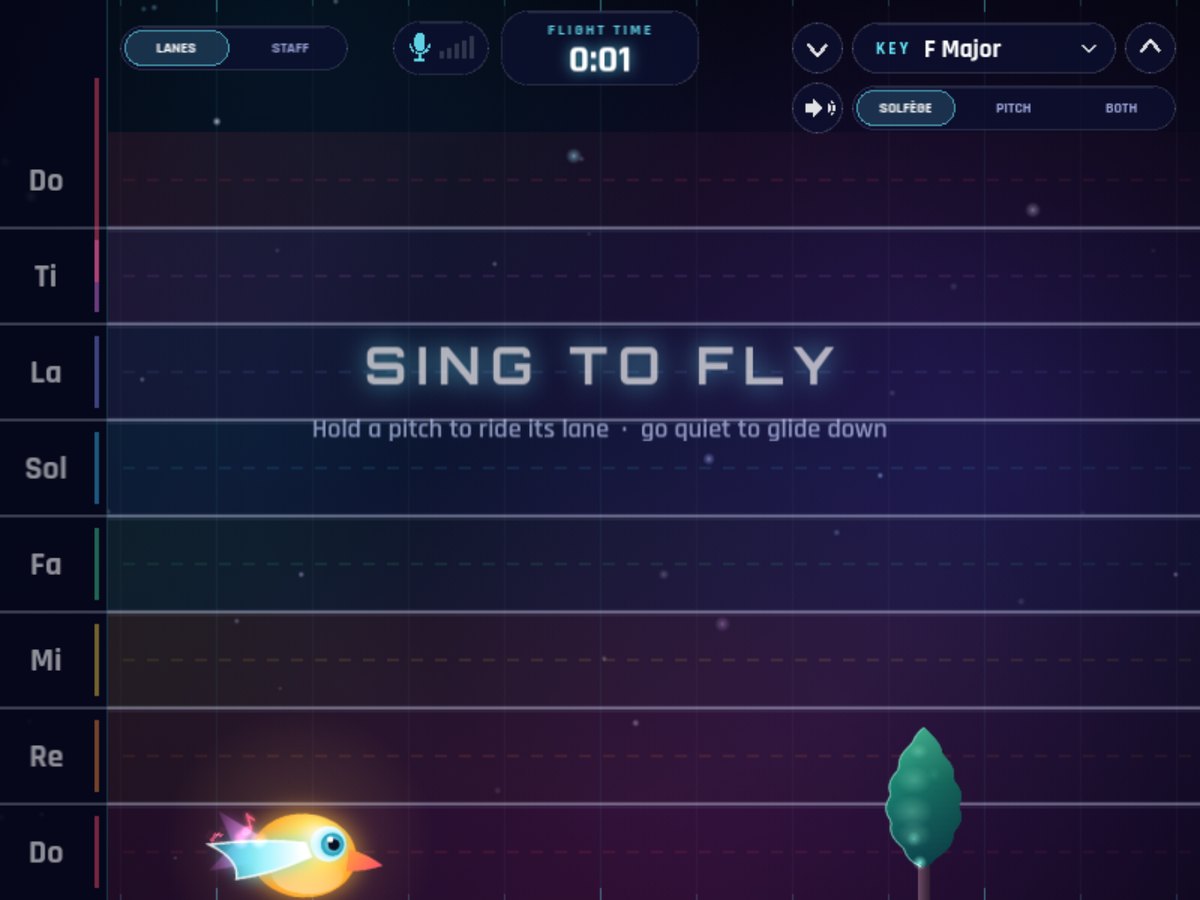
Pitchy Bird in Lanes view, in F major. Have one volunteer fly up the scale from Do to Do while the class listens for the half steps at Mi to Fa and Ti to Do.
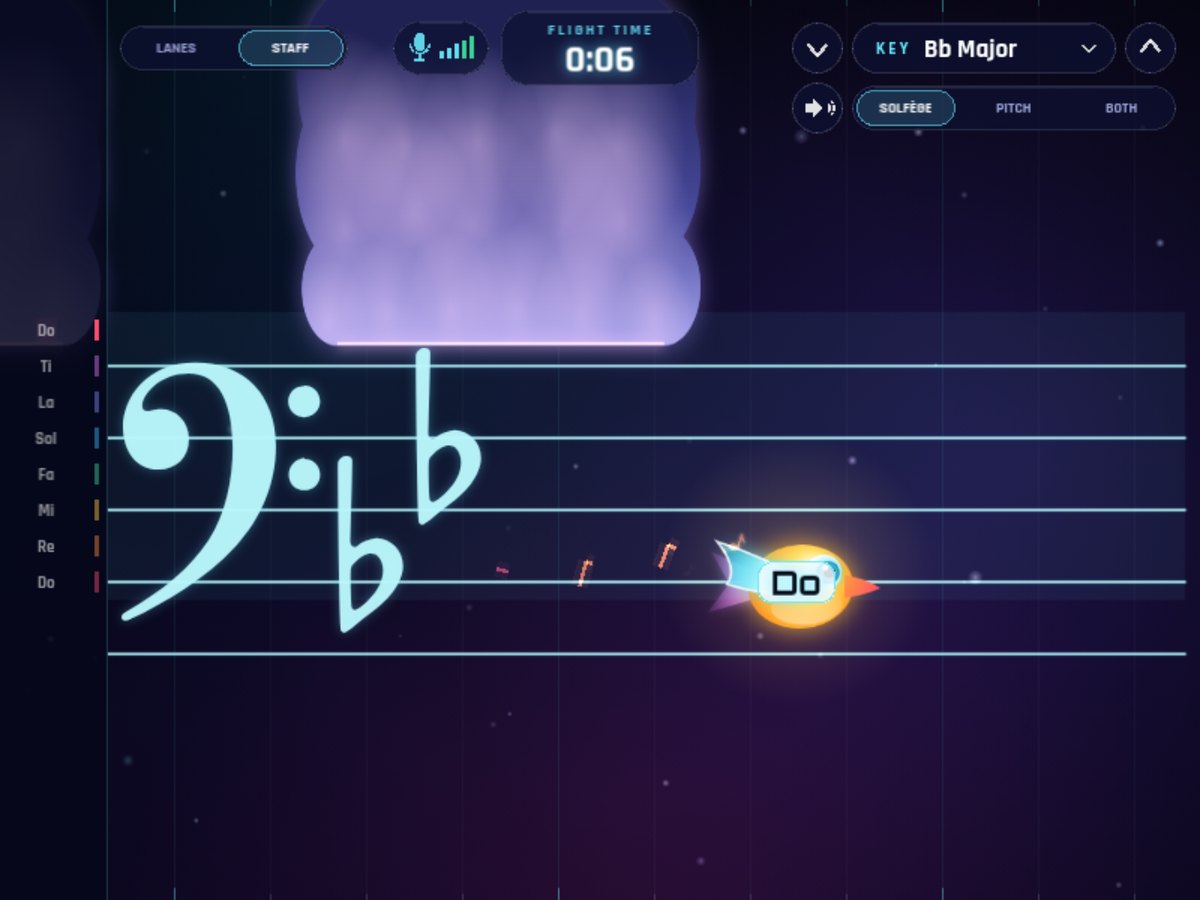
Pitchy Bird in Staff view, set to B-flat major with a bass clef instrument. Use it with low brass, then have the whole band play the concert B-flat scale.
Here is Matthew playing Pitchy Bird in a live demo (recorded in 2025, so a few screens look different now):
Watch on YouTube: Pitchy Bird Music Education Game Live Demo
Use Pitchy Bird for two or three minutes after a scales or intervals lesson, or as a Monday ear warm-up. Set it to the concert key of the week, then go straight into that scale or a phrase from the concert music. Our posts on major scales and intervals use this same habit.
Pitch Perfector is the pattern-listening game in the same arcade. Students press Play Pattern, listen, and choose the matching answer, such as "Do, Mi, Do" or "Do, Re, Re." You can switch answers between solfege and pitch names, turn piano highlighting on or off, and pick a level. Use it when the goal is hearing a short pattern, not matching one pitch. More routines are in ear training for band and orchestra.
Note Namer is for clef reading and note identification. The setup matches the tool to a voice part or an instrument, so a trumpet player and a soprano are not on the same default staff. After they pick a voice or instrument, they practice naming notes. Use it in a quiet station or as short independent practice, then have students name the first note of their own part.
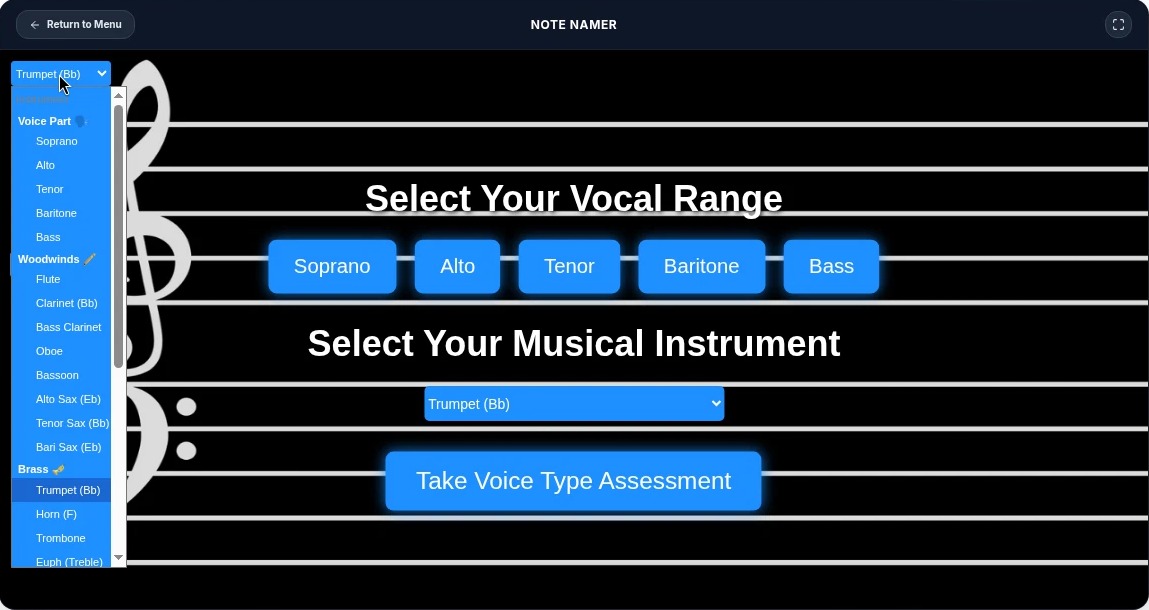
The Note Namer setup, with voice parts and a list of instruments. This shot is the setup screen, before an exercise begins. Match the voice or instrument first, then start the practice.
Games Students Play on Their Own: Basketball, Bowling, and the Rest
When students have devices, or when some finish early, assign a sports or arcade game on the chapter you just taught. The questions come from that chapter, so TMT Basketball on Chapter 8 is a key signature review, not a generic trivia game with a basketball skin.
TMT Basketball is a 2-on-2 arcade game. Students score from the floor spot that matches the right answer, then move on to the next question. It is a strong independent-practice pick: same questions as Trivia, different feel, at Medium for middle school.
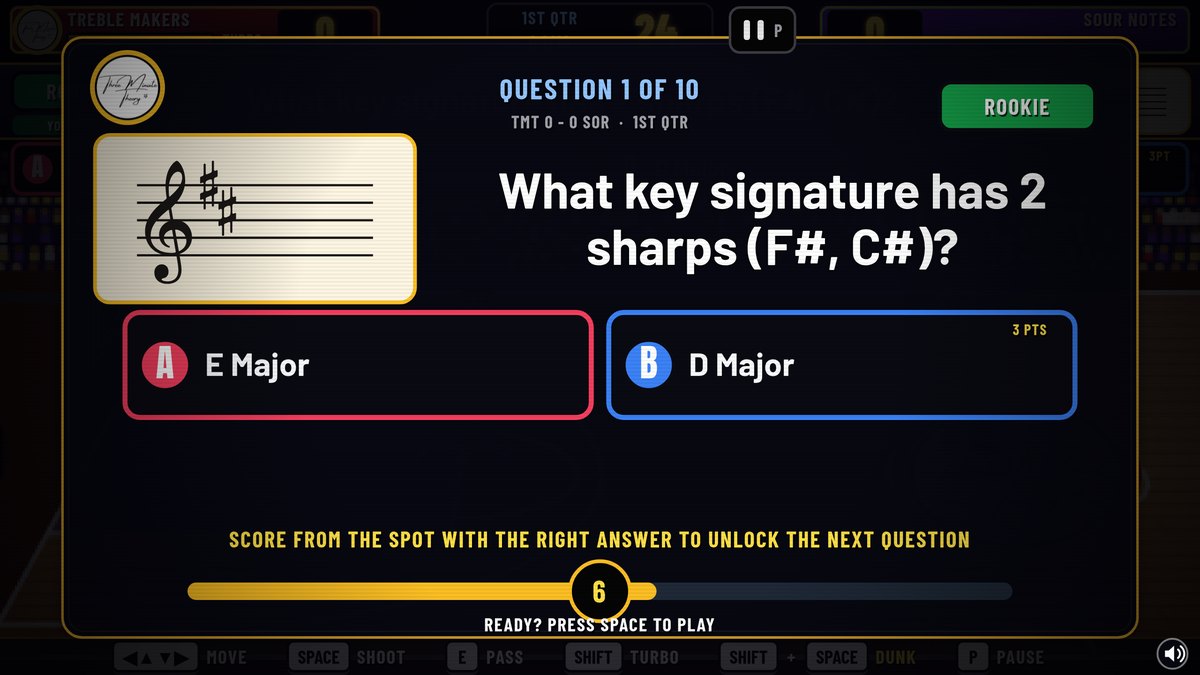
TMT Basketball on a key signature question: "What key signature has 2 sharps (F#, C#)?" Students score from the floor spot with the right answer, then go back to naming that key in their concert music.
TMT Bowling puts a question before every ball. The start screen spells out the loop: answer, then power up or take a curse, then bowl and steer. Right answers can win power-ups. Wrong ones bring a curse on the next ball. You can set 10 to 30 questions. The default is 20 questions across 10 frames, which is longer than a warm-up, so I assign Bowling for practice rather than projecting it in the first five minutes.
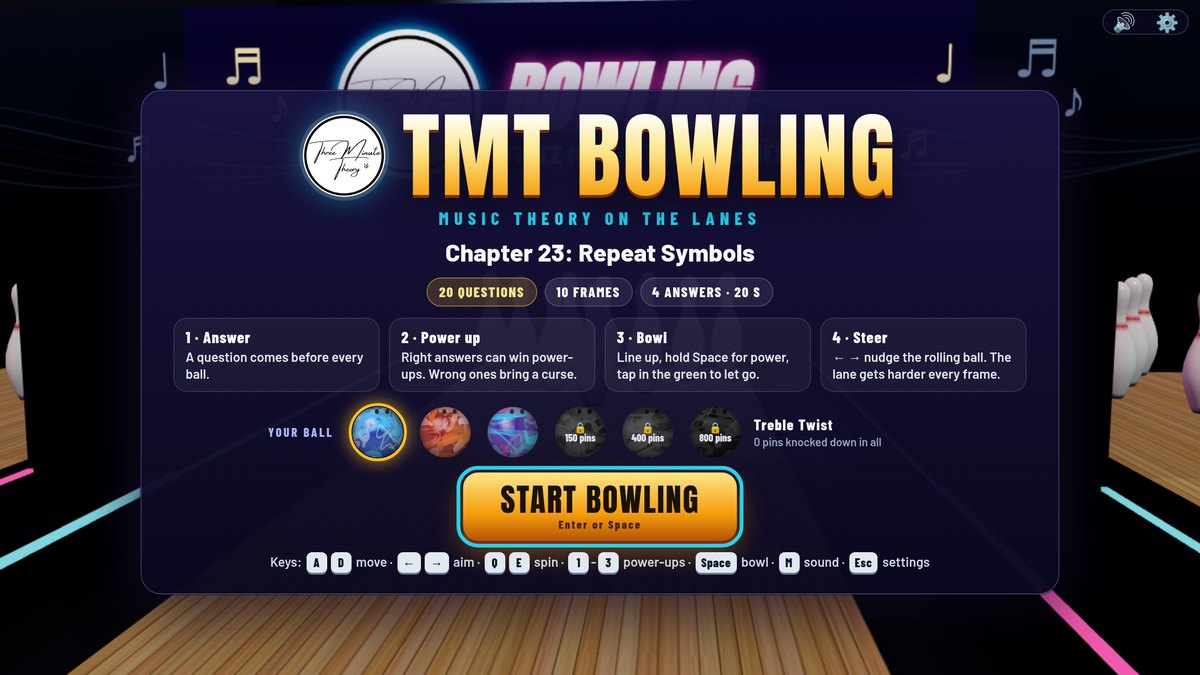
The TMT Bowling start screen on Chapter 23, Repeat Symbols. It is set to 20 questions and 10 frames, and it states that a question comes before every ball.
After students play, the assignment page shows how each question went from each student's first try, with a Most missed view. If half the class misses the same key signature or time signature question, that is tomorrow's three-minute reteach.
The High Scores button on your dashboard opens a class board you can put on the projector. You can show all-time scores or just the current assignment, and one game or all games.
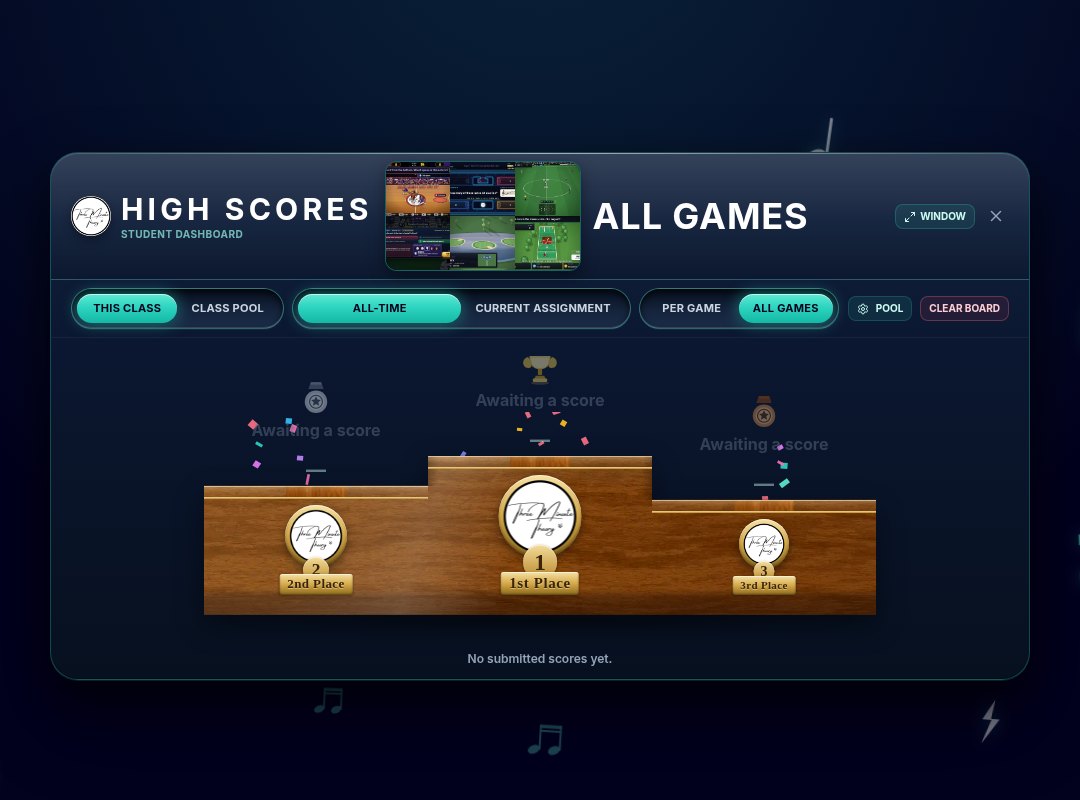
The class High Scores board before anyone has played, set to All-Time and All Games. It fills in as students submit scores. You can also switch the view to the current assignment or to one game.
Other By Game titles use the same chapter questions with a different feel. You do not need all of them. Official hooks, plus the typical running times listed on the menu where we have them:
- TMT Flappy Note: flap through the gap with the right answer. Good when you want one-button play.
- TMT Maze: drive into the dock of the right answer while drones patrol.
- TMT Soccer: a full match with composers, where answers win the set pieces. About 6 minutes.
- TMT Baseball: a 3D night game where right answers power up the next pitch. About 9 minutes. You can set 10 to 30 questions (default 15).
- TMT Mini Golf: sink it in the cup flying the right answer. About 8 minutes.
- TMT Football: throw to the receiver wearing the right answer.
- TMT Golf: land the ball on the green flying the right answer.
- TMT Maestro Kart: kart racing, where students answer the note boxes for power-ups.
- TMT Crossing: hop roads and rivers to the right answer's pad.
- TMT Attack: torpedo the carrier holding the right answer.
- TMT Jump: run and jump as a composer through the right door. Missed questions come back at a review gate. This one needs a keyboard, so it is a poor fit for phones or tablets.
- TMT Tennis: 3D tennis against a CPU composer, with a question before every point. You can set 10 to 30 questions (default 20).
- TMT Music Runner: run through the right-answer gate on three lanes. Missed questions come back in an Encore round.
- TMT Paintball: splat the runner wearing the right answer. The runners shoot back.
Pick one or two of these for assigned practice. Keep Trivia and Rumbler for the whole-class slot.
Rhythm Tools for Small Groups
Rhythm Rumbler is the whole-class clap. These Music Tools are better for a section, a station, or practice on student devices. They live in the teacher sidebar under Music Tools.
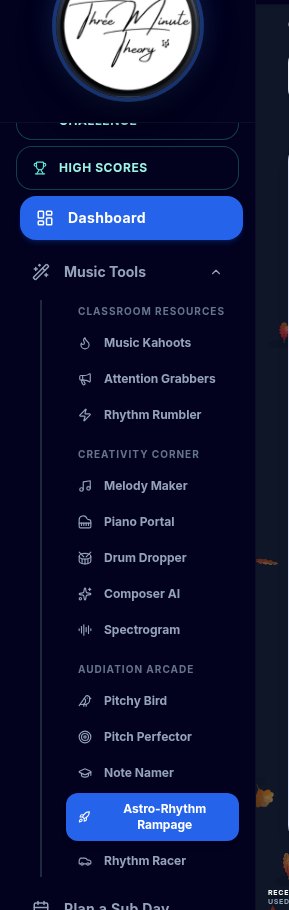
Music Tools in the teacher sidebar. Rhythm Rumbler is under Classroom Resources. Pitchy Bird, Pitch Perfector, Note Namer, Astro-Rhythm Rampage, and Rhythm Racer are under Audiation Arcade. Drum Dropper is in Creativity Corner.
Rhythm Racer has five levels. Notes scroll toward a yellow play line, and students press the spacebar as each note crosses it, or turn on Microphone Mode and clap or tap. Hits glow green. Early, late, or missed notes turn red. A tempo dial runs from 40 to 220 BPM, and Metronome, Subdivision, and Practice options let you slow a new rhythm down. Teachers often project Level 1 and have a row take turns.
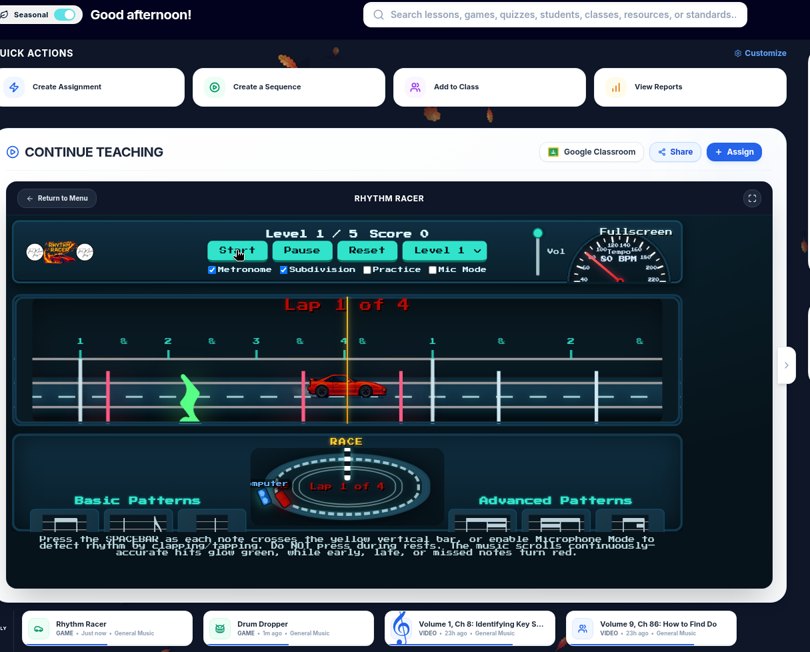
Rhythm Racer on Level 1 of 5, at 50 BPM, with Metronome, Subdivision, and Practice turned on. Students press the spacebar, or use Microphone Mode, as each note crosses the yellow line.
Astro-Rhythm Rampage is quieter. Students listen, then select the measure (A, B, C, or D) that matches what they heard. It is a nice rhythm-dictation station with headphones.
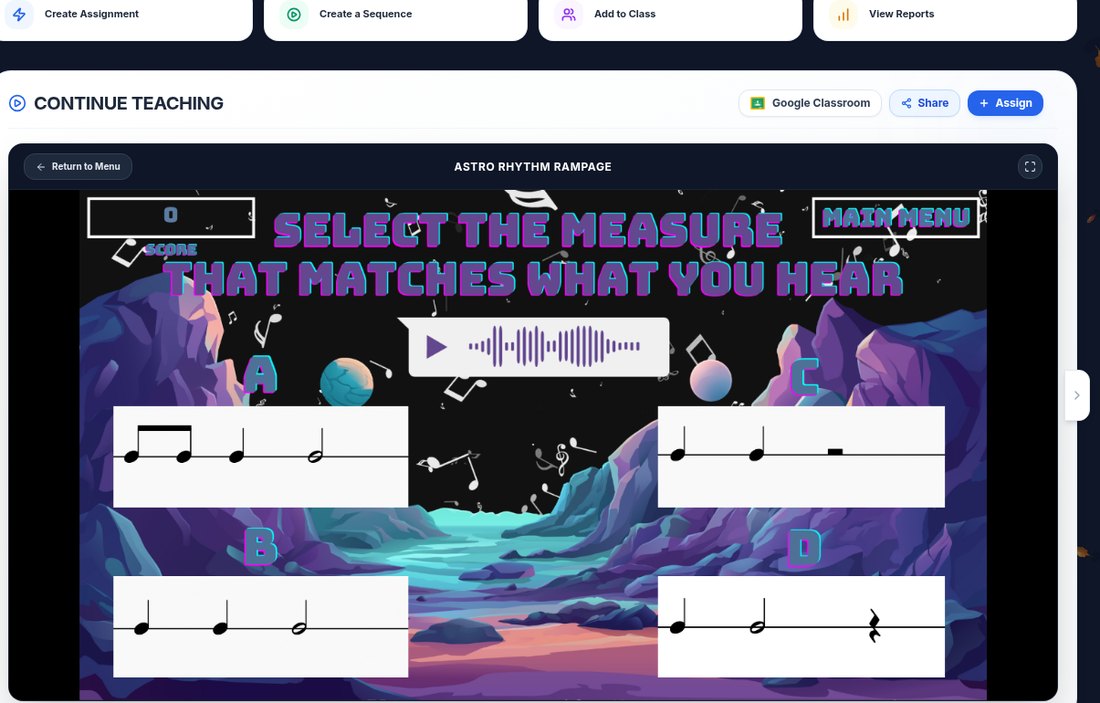
Astro-Rhythm Rampage. The screen says "Select the measure that matches what you hear," with four written measures to choose from. Play the audio once, then have the group vote.
Drum Dropper is in Creativity Corner. It is a 12-pad sampler, not a falling-note game. Students can load or assign sounds, map keys, and record a short groove. I use it only when the station goal is creating a pulse, not reading a written rhythm.
For a week of rhythm games that also includes no-device activities, use the band rhythm games post.
If You Want Centers Instead of a Whole-Class Game
A game on the projector is the fastest way to start. If you have a 45-minute general music period, or a rehearsal where you want rotations, do not invent six handmade stations. Use four short ones: a Trivia or sports game on the day's chapter, a rhythm tool, a pitch or ear tool, and a written check. The full timing, station cards, and sample week are in music theory centers for middle school. This post stays on the wider question of which game to pick, and when.
A Sample Week of Music Theory Games
Here is one way to use the games above without giving up rehearsal time. Change the chapter to match what you are actually teaching.
- Monday (about 5 minutes): Play the 3-minute lesson for the week's skill, then 10 TMT Trivia questions on that chapter. Find one example in the concert music.
- Tuesday (about 3 to 5 minutes): If the skill is rhythm or meter, project one Rhythm Rumbler level (Round 1 with counts, Round 2 without). If the skill is scales, key signatures, or intervals, project Pitchy Bird in that key, then play or sing the scale.
- Wednesday (assigned, not whole-class time): Assign TMT Basketball or TMT Bowling on the same chapter, at Medium, with an optional due date. Students can replay. Their grade is their best accuracy.
- Thursday: Use the Most missed view from Wednesday to reteach one question in warm-up, or run a short centers day with Trivia, a rhythm tool, Pitchy Bird or Note Namer, and a worksheet. See the centers post for the 8-minute rotations.
- Friday (about 10 minutes, or a closing closer): Open Live Game Challenge, pick the week's chapter (you can add up to 5 topics), pick one or two games, and have students join from their dashboard. Or run Play as a class in Trivia. End by putting the High Scores board on the screen for a moment, then go back to the music.
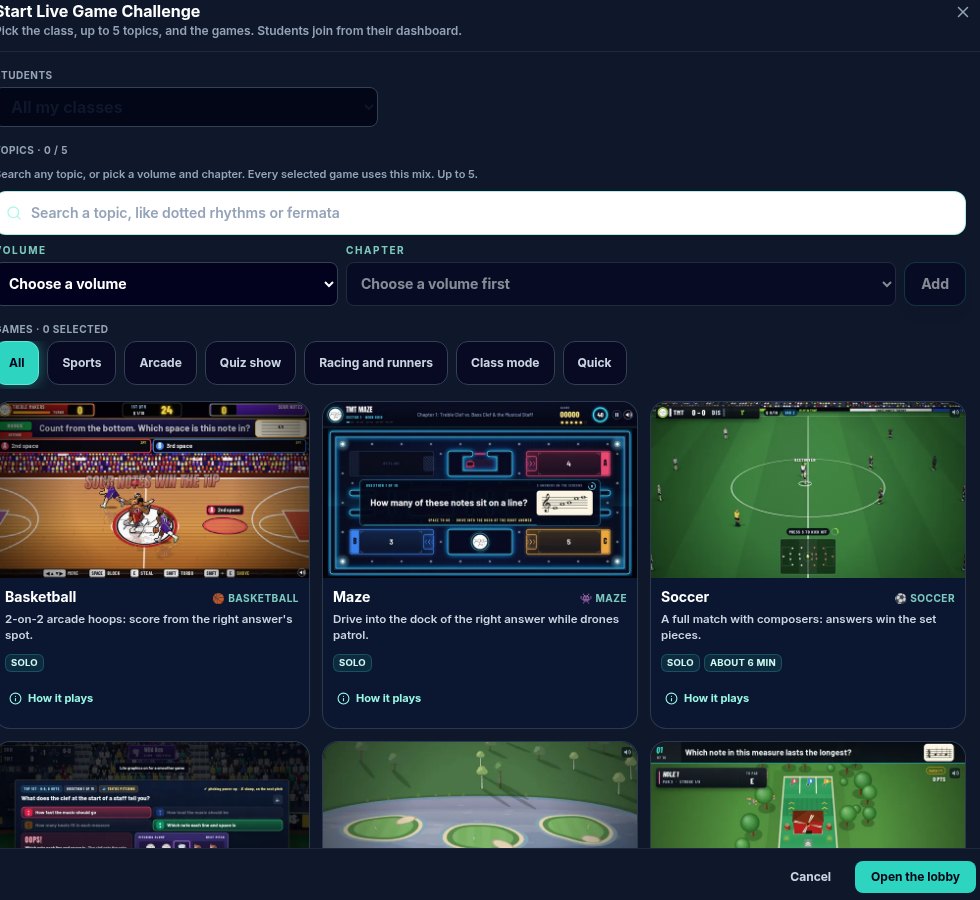
The Live Game Challenge setup. Pick the class, up to 5 topics, and the games, then open the lobby. Students join from their dashboard. Keep the topics to the chapters you actually taught that week.
The point of the week is not to play every title. It is to teach one skill, check it in more than one way, and still protect rehearsal.
Frequently Asked Questions
How long should a music theory game last in a middle school class?
A warm-up game should take about three to five minutes, then you go back to rehearsal. A 10-question TMT Trivia round or one Rhythm Rumbler level (about three and a half minutes) fits that slot. Assigned games can run longer when students play on their own devices, because they can stop and replay later. Save longer sports games, such as TMT Soccer (about 6 minutes) or TMT Baseball (about 9 minutes), for independent practice or a Friday review, not the first five minutes of rehearsal.
Can I use the same game for different skills?
Yes. In Three Minute Theory, any game can play any chapter. The same TMT Trivia or TMT Basketball game can review time signatures on Monday and key signatures on Tuesday. Pick the chapter first, then pick the game that fits the moment: projector, student devices, or a quiet corner.
What if I only have a projector and no student devices?
Project TMT Trivia, Rhythm Rumbler, or Pitchy Bird and have the class answer out loud, with fingers, or by clapping and playing. TMT Trivia also has Play as a class if students can use phones as answer pads and are signed in. Keep a chapter worksheet as a paper backup.
Which music theory game should I start with?
Start with the skill you are already teaching, not with the flashiest game. If you just taught a short lesson, project a 10-question TMT Trivia round on that chapter. If you need a pulse warm-up, project one Rhythm Rumbler level. If students have devices for practice, assign TMT Basketball or TMT Bowling on the same chapter at Medium (middle school).
How do I grade a theory game without turning rehearsal into a test?
When you assign a game, students can replay as often as they like, and their grade is their best accuracy. Tell them before they start if the score will go in the gradebook. Use projector games and warm-ups as practice. Use an assigned game or a short quiz when you need a score.
Are these games only for general music?
No. The same games work in middle school choir, band, and orchestra, because you pick the chapter to match the ensemble. Choir can review Find Do or a choral-score chapter. Band can review time signatures, key signatures, or rhythm. Orchestra can add alto clef. Then connect the question back to the music on the stand.
Start Tomorrow
Pick the skill you are already teaching this week. Project a 10-question TMT Trivia round on that chapter, or one Rhythm Rumbler level, and send students back into their music before the game cools off. That is enough for tomorrow.
If you want the lessons and games ready to go, try Three Minute Theory free for 7 days at ThreeMinuteTheory.com, or see the pages for band, choir, and orchestra. For sight-reading practice beside theory games, try SightReadQuest. For more classroom ideas from founder Matthew Gawronski, visit MatthewGawronski.com.