Music Theory Centers for Middle School That Fit a 45-Minute Class
A 45-minute music theory centers plan for middle school with four stations, sample weeks, and Three Minute Theory games, rhythm tools, and assessments.
A 45-minute middle school music class disappears fast. Attendance, a warm-up, one good rehearsal chunk, and suddenly centers feel impossible. Music theory centers for middle school (also called music theory stations) only work when each station is short, obvious to run, and tied to a skill students will use in the music on their stands.
The mistake I see most is building six elaborate stations that need a page of directions. Students spend the period asking what to do. The fix is fewer stations, a visible timer, and activities that already know how to teach and check the skill. That is where Three Minute Theory earns its keep: every chapter already has a lesson video, review games, and assessment questions, so a station can be "open Chapter 13 Basketball" instead of a handmade packet.
This post gives a 45-minute centers plan, station ideas that actually fit, and the exact TMT tools I put on each table or device cart.
What Makes a Theory Station Work in 45 Minutes
Run every station idea through this checklist:
- Under 8 minutes. Students will rotate. If a station needs 15 minutes of explanation, it is a whole-class lesson, not a center.
- Directions fit on one card. "Watch the lesson, then play 10 Trivia questions on Chapter 3." That is enough.
- A clear finished product. A game score, a worksheet page, a recorded clap, or a stamped checklist.
- Eyes on notation. Stations should make students read, not only color or copy.
- You can still teach. One station can be teacher-led. The others must run without you.
Music theory stations middle school teachers actually reuse tend to be boring on paper and rich in reps: one literacy game, one rhythm tool, one ear station, one written check.
A 45-Minute Centers Map
Here is a plan for 24 to 30 students and four stations. Each rotation is 8 minutes, with 2 minutes to move.
- 0:00 to 5:00: Whole class. Project one Three Minute Theory lesson that matches the skill of the day (for example Chapter 3 on time signatures, or Chapter 13 on eighth notes).
- 5:00 to 13:00: Rotation 1
- 13:00 to 21:00: Rotation 2
- 21:00 to 29:00: Rotation 3
- 29:00 to 37:00: Rotation 4
- 37:00 to 45:00: Whole class share-out and a quick Live Review or exit question
Four stations means every student hits every center once. If you only have devices for half the room, make two paper or acoustic stations and two device stations.
Station 1: Lesson Replay and Trivia (Devices or Projector Cart)
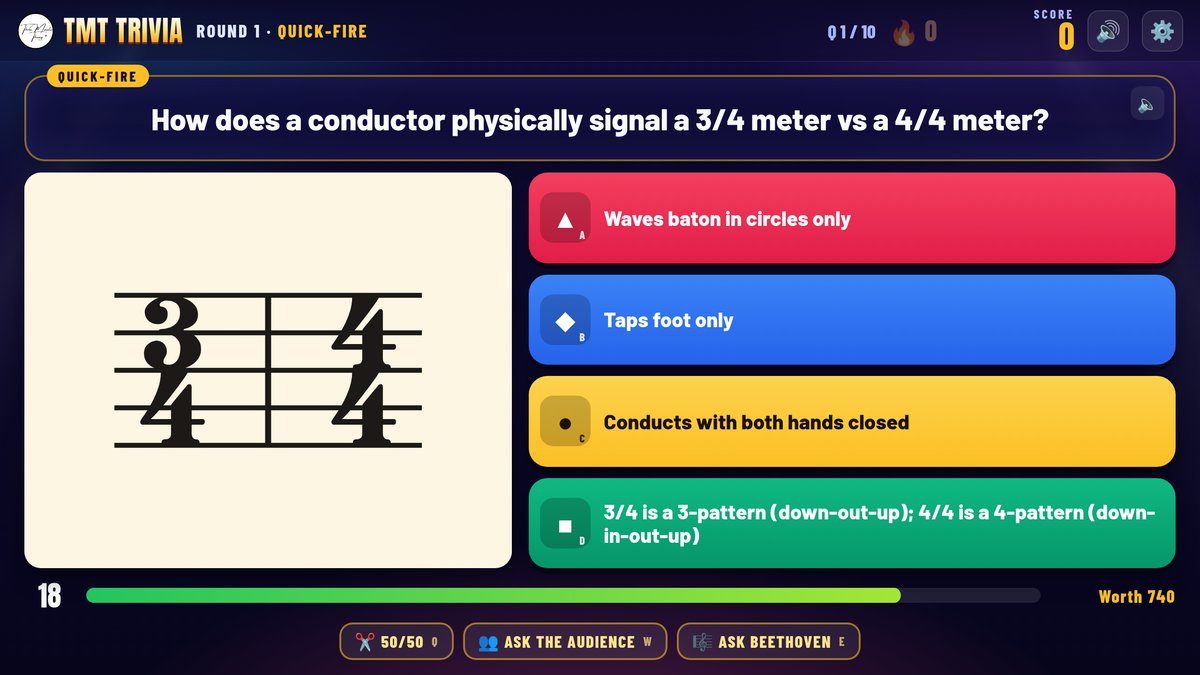
Students reopen the chapter you launched at the start of class and play TMT Trivia on that chapter. Trivia rounds include Quick-Fire, Picture Reveal, Vanishing Answers, Lightning Round, Sort It, and Listen Up for ear chapters. Lifelines (50/50, Ask the Audience, Ask Beethoven) keep the energy up without you standing there.
Card text I use: "Open TMT Trivia. Chapter ___. Play 10 questions. Write your best accuracy on the slip."
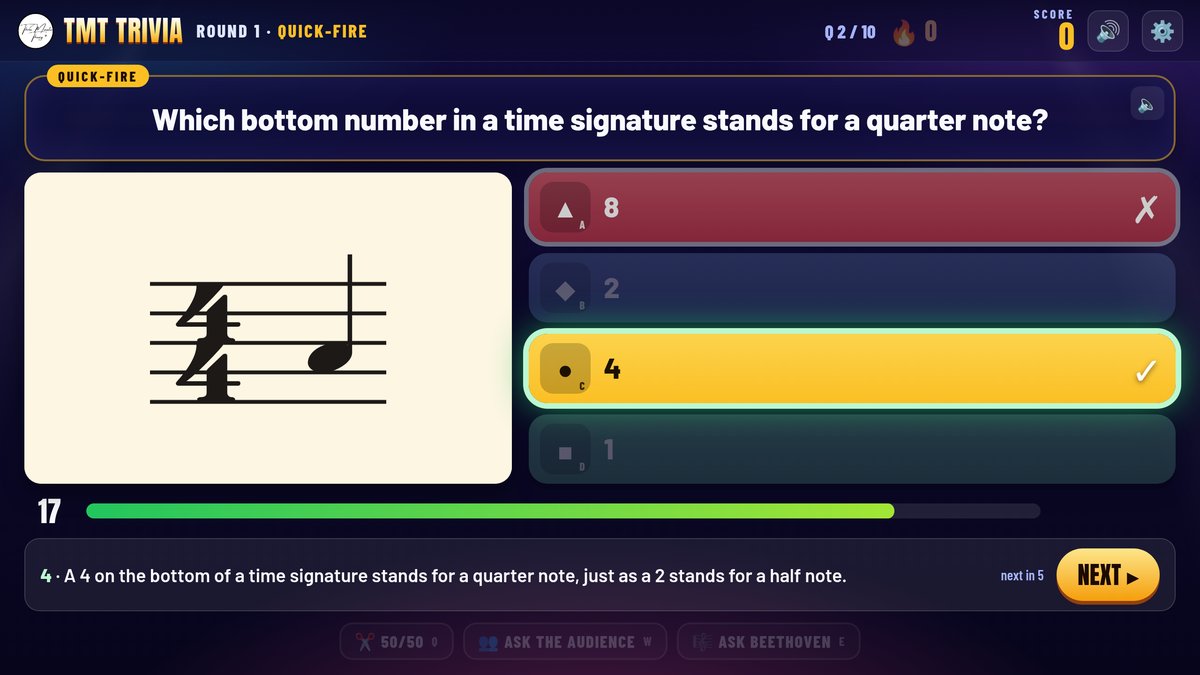
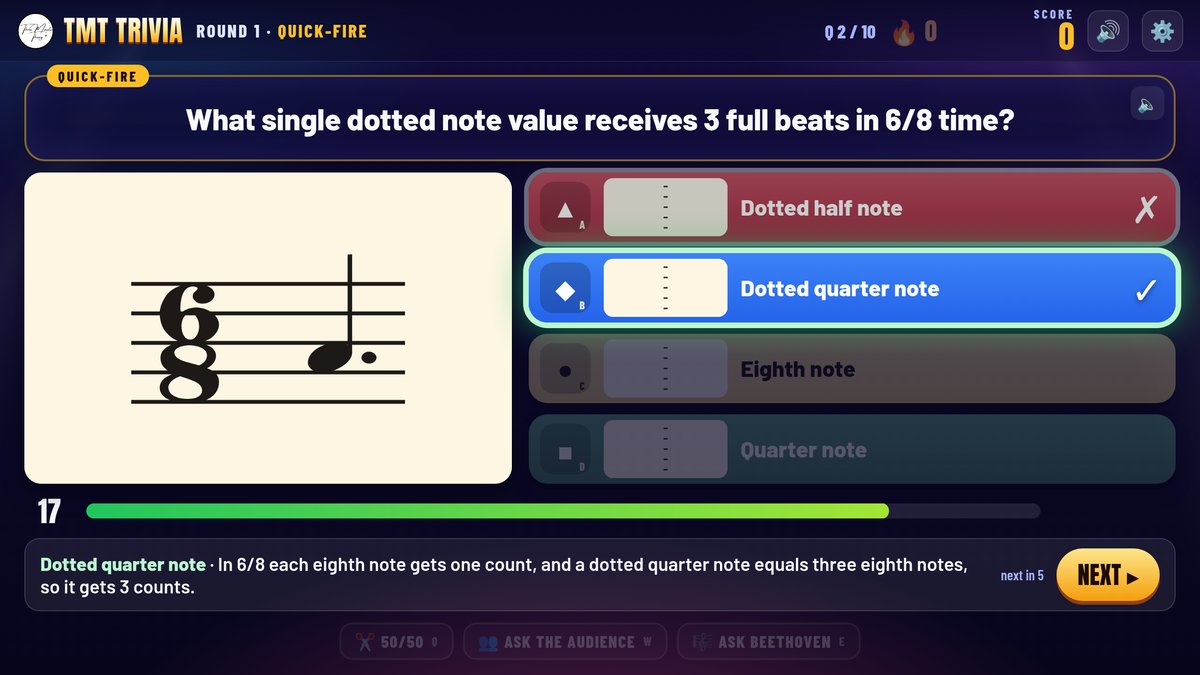
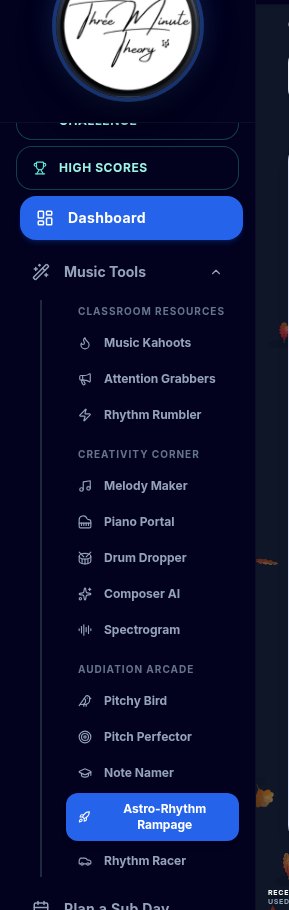
For a louder room, use TMT Basketball or TMT Bowling on the same chapter. Same questions, different game feel. Music Tools on the teacher dashboard is where those review games and rhythm tools live, and students can open the same titles from their dashboard when you assign them.
Station 2: Rhythm Tools (Projector or Shared Tablet)
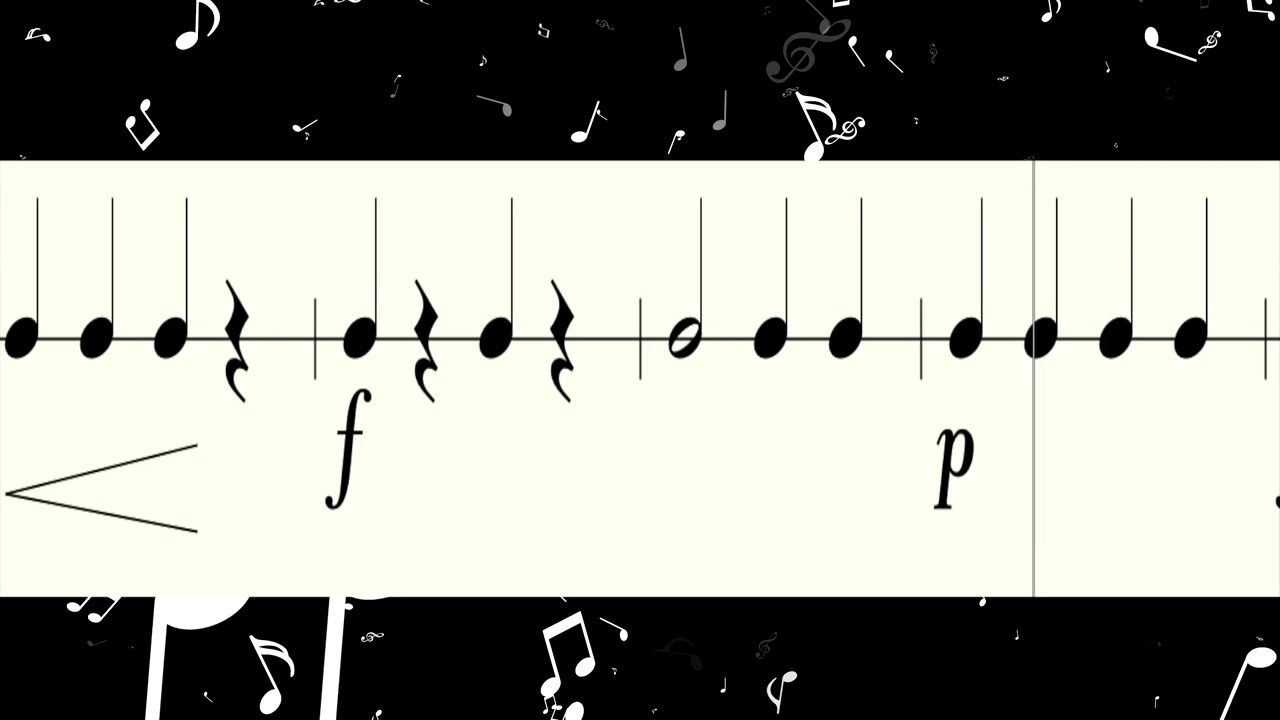
This station is for pulse and reading, not a worksheet about note values. Options that already exist in Three Minute Theory Music Tools:
- Rhythm Rumbler. Pick one level. Clap Round 1 with counts, clap Round 2 without counts, then play the line on a single pitch or open strings.
- Rhythm Racer. Students race the clock while notes scroll to a play line. Spacebar or Microphone Mode. Tempo dial from 40 to 220 BPM.
- Astro-Rhythm Rampage. Listen, then choose the measure that matches what they heard. Good for a quieter corner.
- Drum Dropper. A 12-pad keyboard sampler with config, key mapping, an audio player, and a record panel. Students load or assign sounds to pads, map keys, and play or record a short groove. It is not a falling-note game.
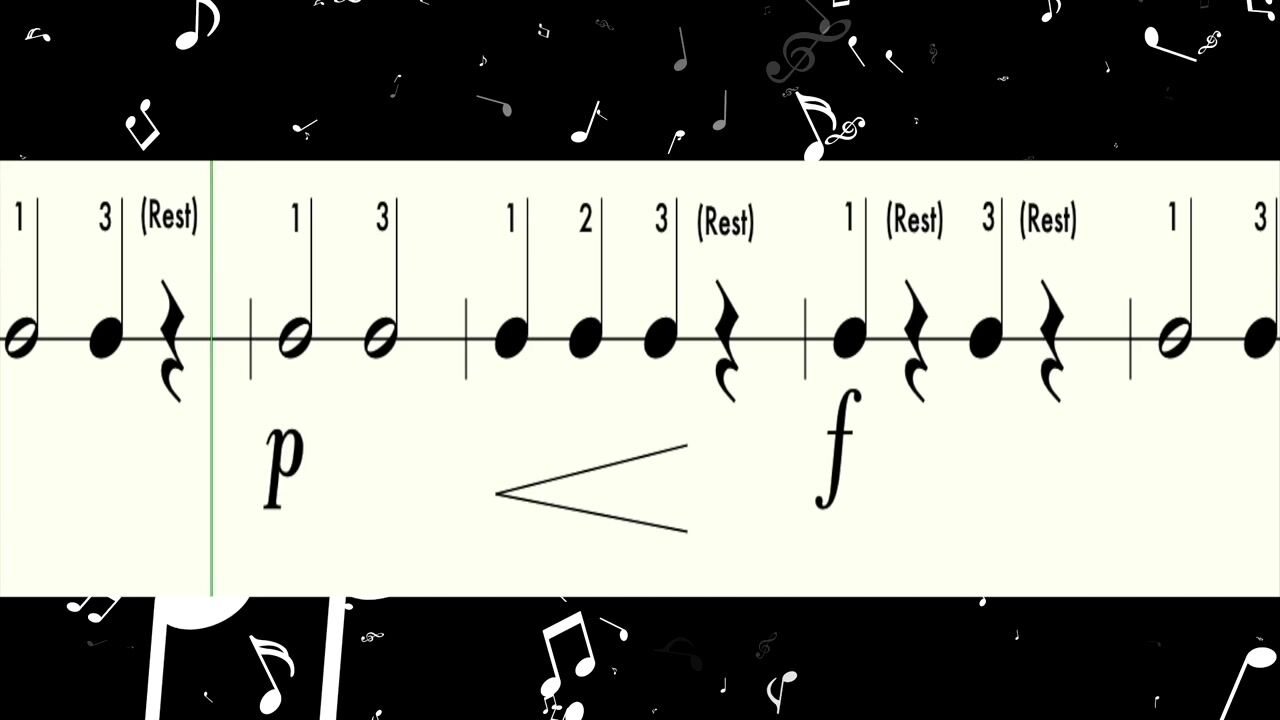

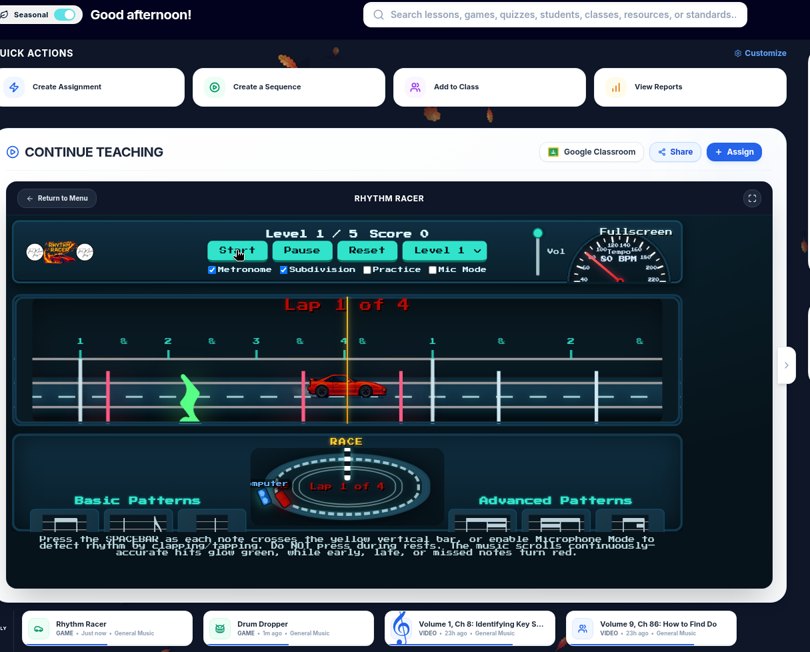
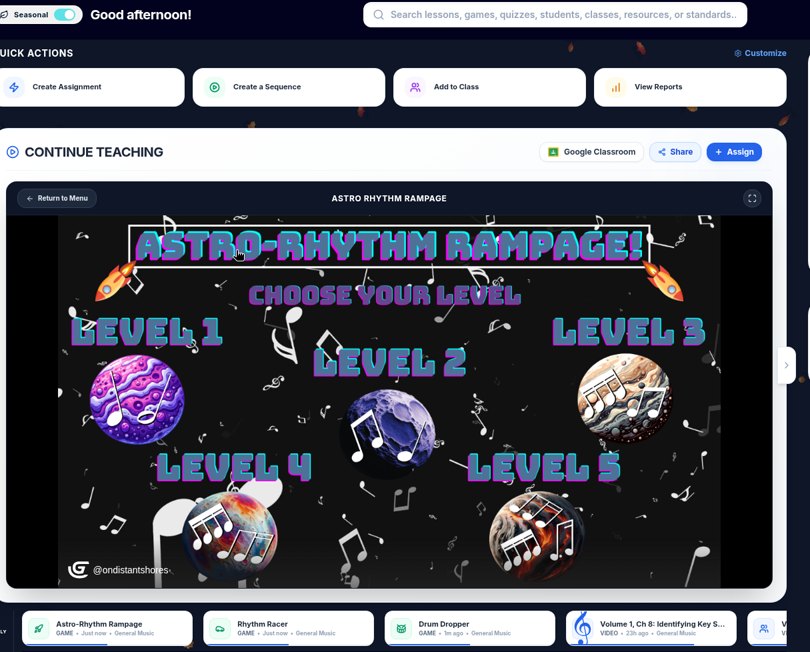
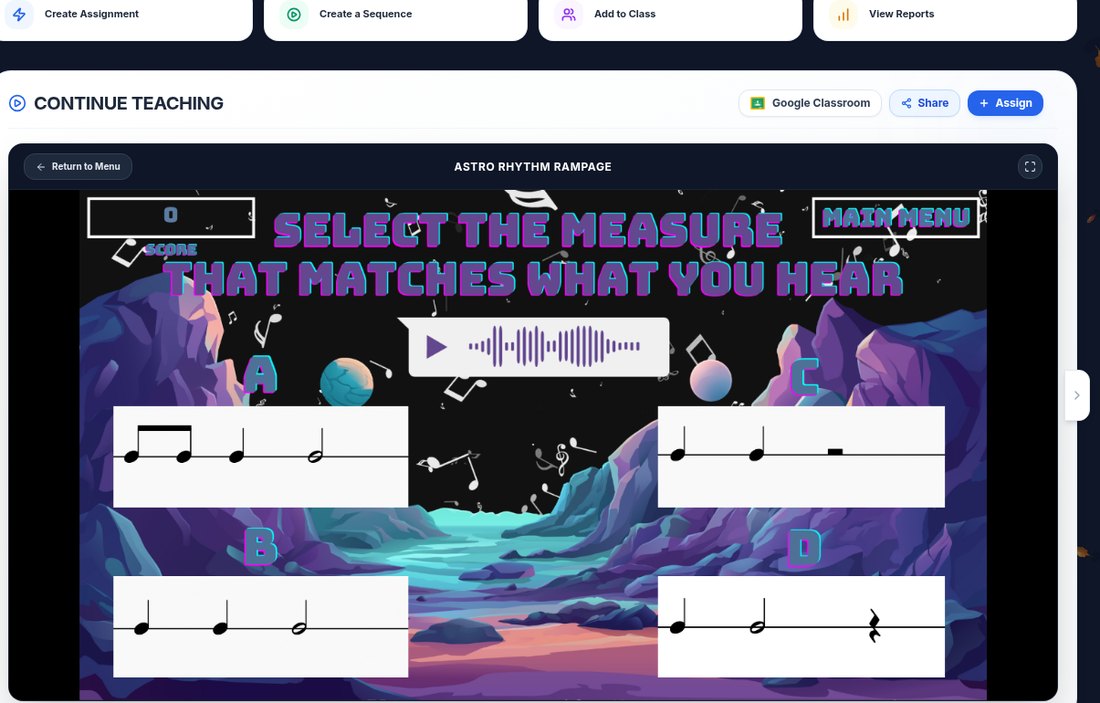
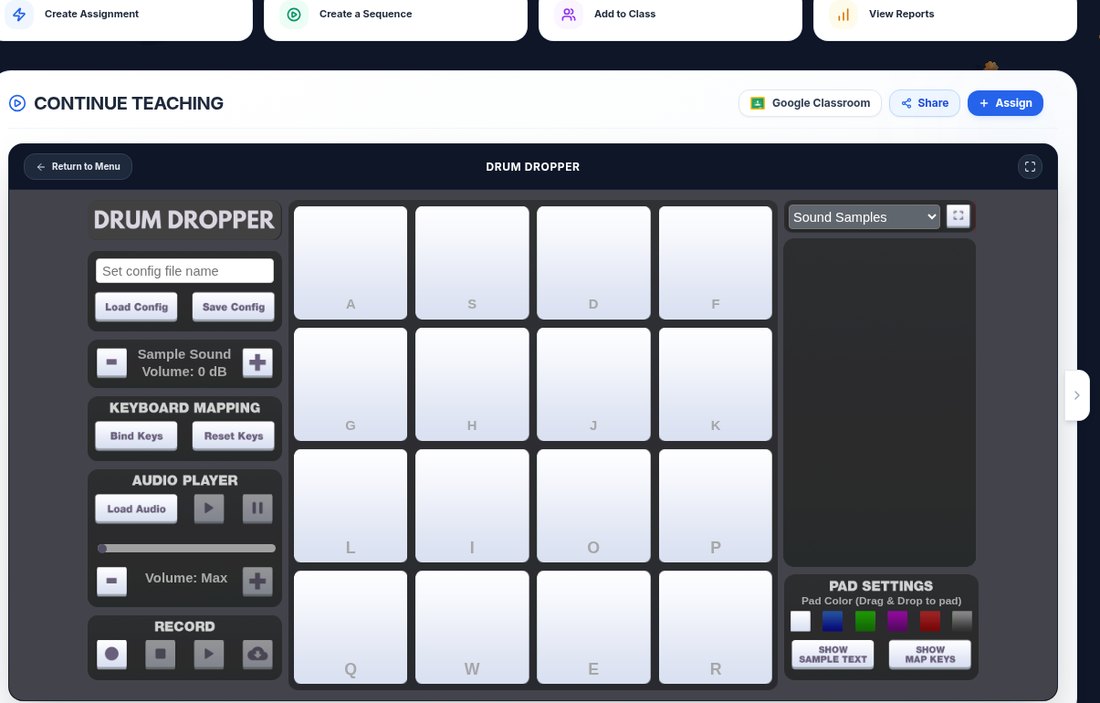
Card text: "Rhythm Rumbler Level ___. Finish Round 1 and Round 2. Initial the checklist." Or swap the card to Rhythm Racer, Astro-Rhythm Rampage, or Drum Dropper for the same rotation. More Rumbler detail lives in our band rhythm games post, and the same tools work for choir and orchestra classes running centers.
Station 3: Ear and Pitch (Headphones Recommended)
Give this station headphones if you can. Two TMT options:
- Pitchy Bird. Set the key of the week. One student flies the bird by singing or playing; partners watch the solfege lanes. Avoid Melody Maker for now, and do not demo Pitchy Bird with bari sax in bass clef.
- Ear Training chapters in Trivia or Listen Up. Chapters 31 to 40 include pitch direction, steps vs jumps, tuning, pulse, and hearing time signatures. Chapter 38 is a strong meter-hearing station.
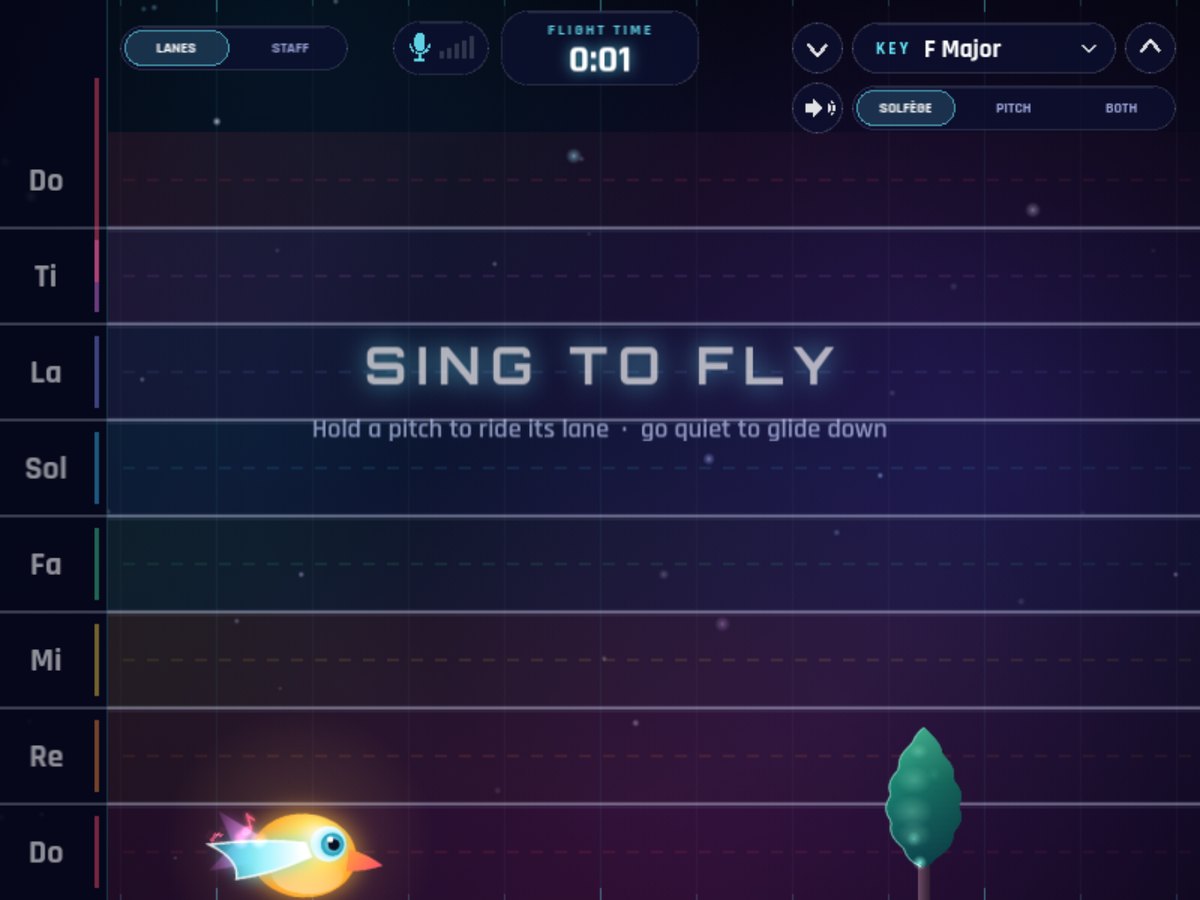
Quick teacher preview on YouTube (recorded in 2025): Pitchy Bird Music Education Game Live Demo
Station 4: Written Check (Paper or Assessments)
This is your quiet station and your gradebook evidence.
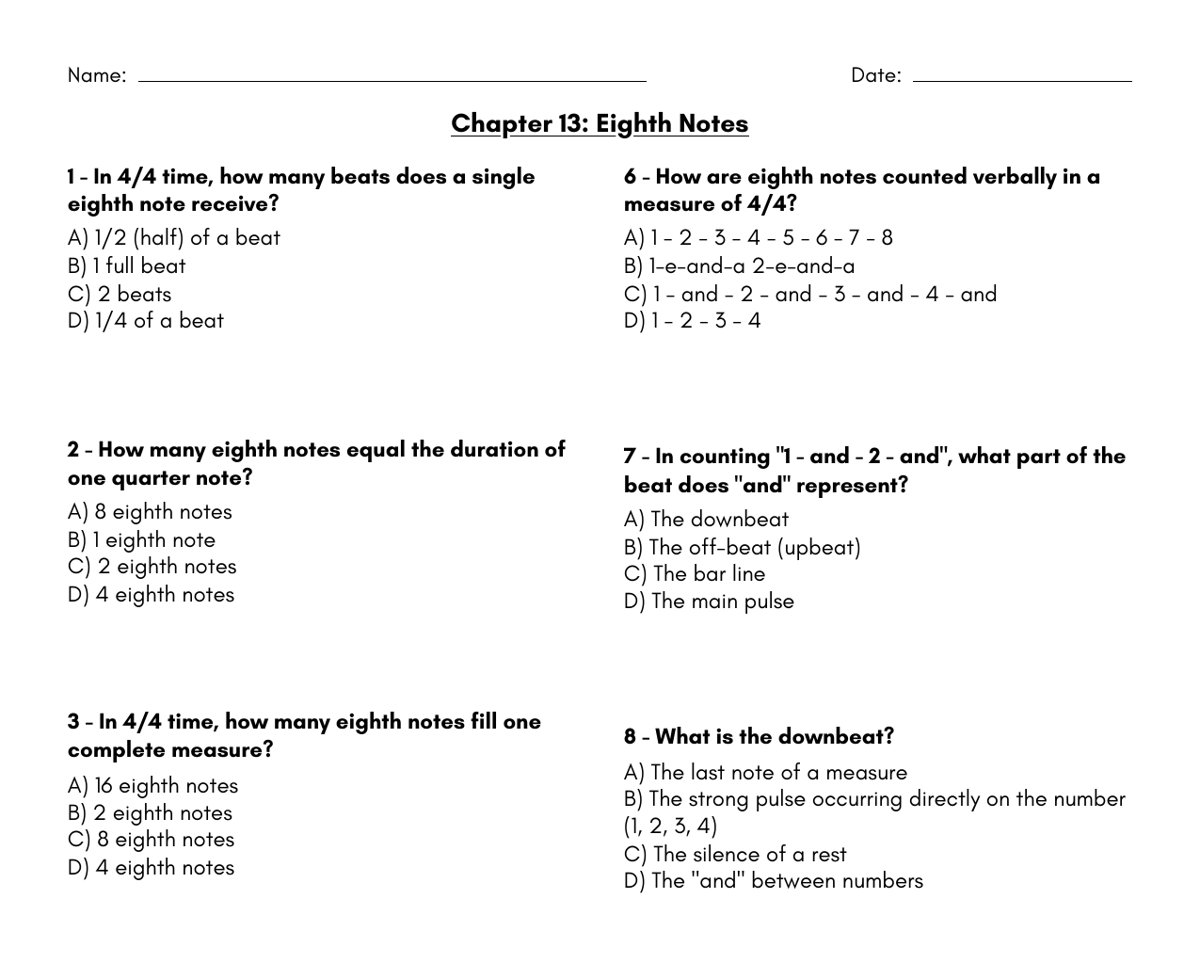
- Chapter worksheet. Each chapter has a printable worksheet with an answer key on page 2. Students complete page 1 only at the station; you keep the key.
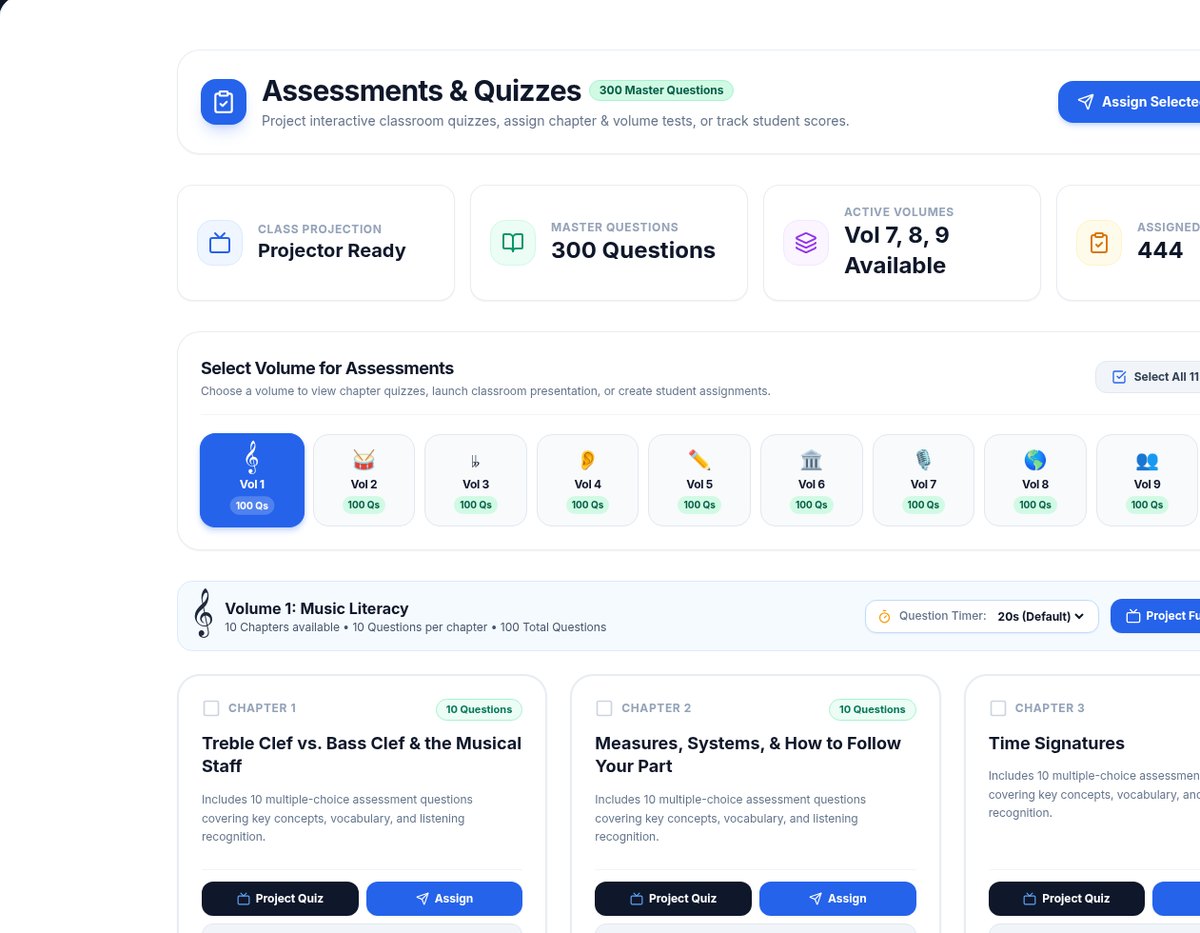
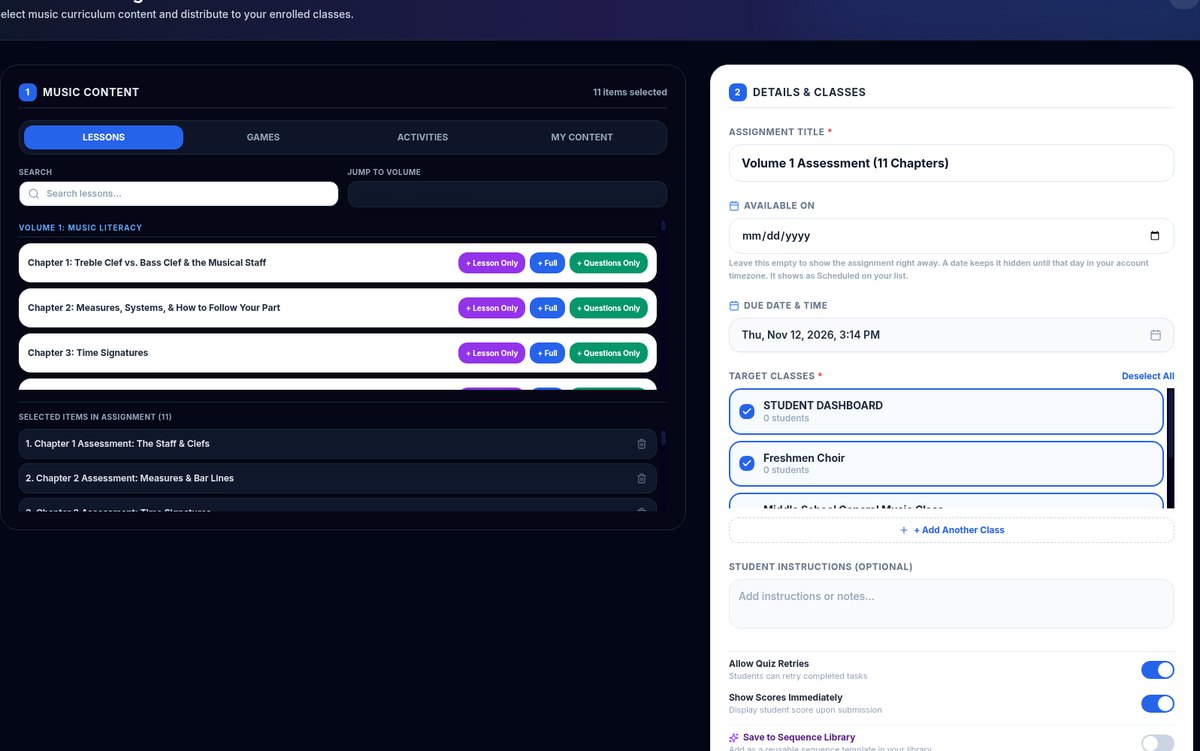
- Assessments tray. On a shared teacher device, project or assign a short quiz built from the chapters in your unit. Ten questions per chapter, Volumes 1 to 9. Select two chapters for a 20-question station check.
- Assign dialog for absent students. If a student misses centers, assign the same chapter as Full Lesson and Quiz with a due date.
Whole-Class Open and Close (Still TMT)
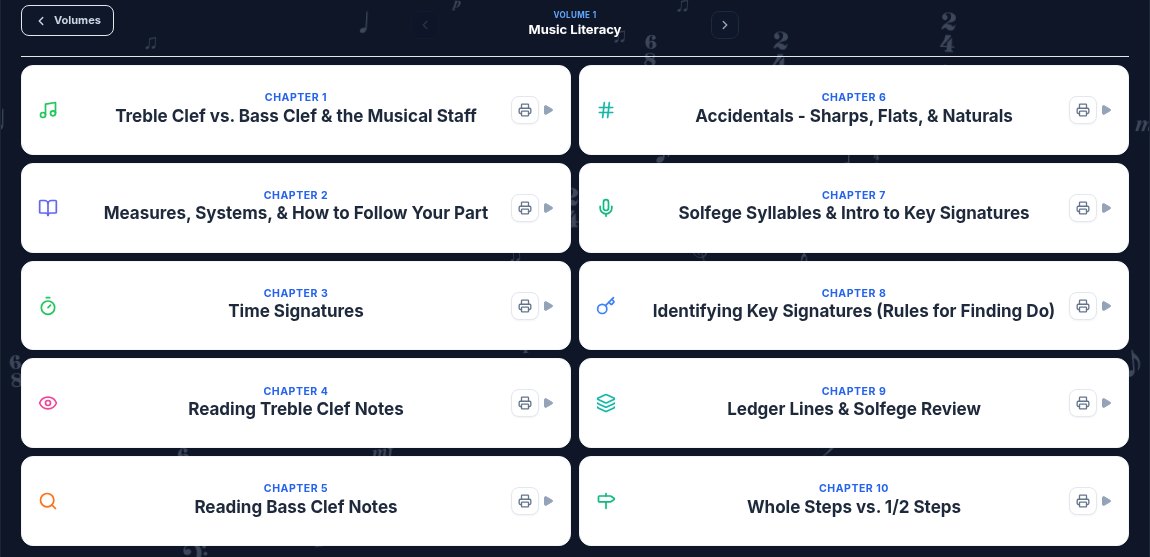
Centers fail when the open and close are vague. I start with a real lesson on the room screen so every station shares a vocabulary. Volume 1 Music Literacy and Volume 2 Rhythm chapter lists make it easy to pick the day's focus.
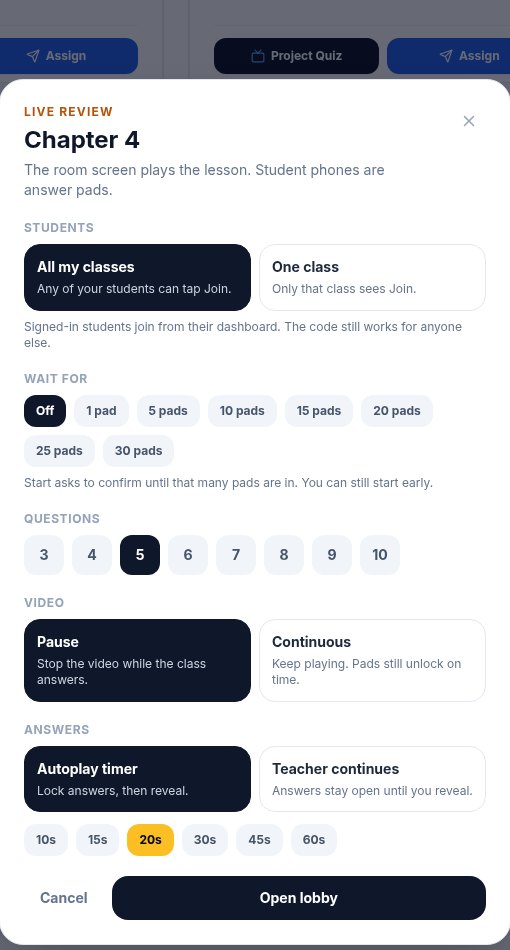
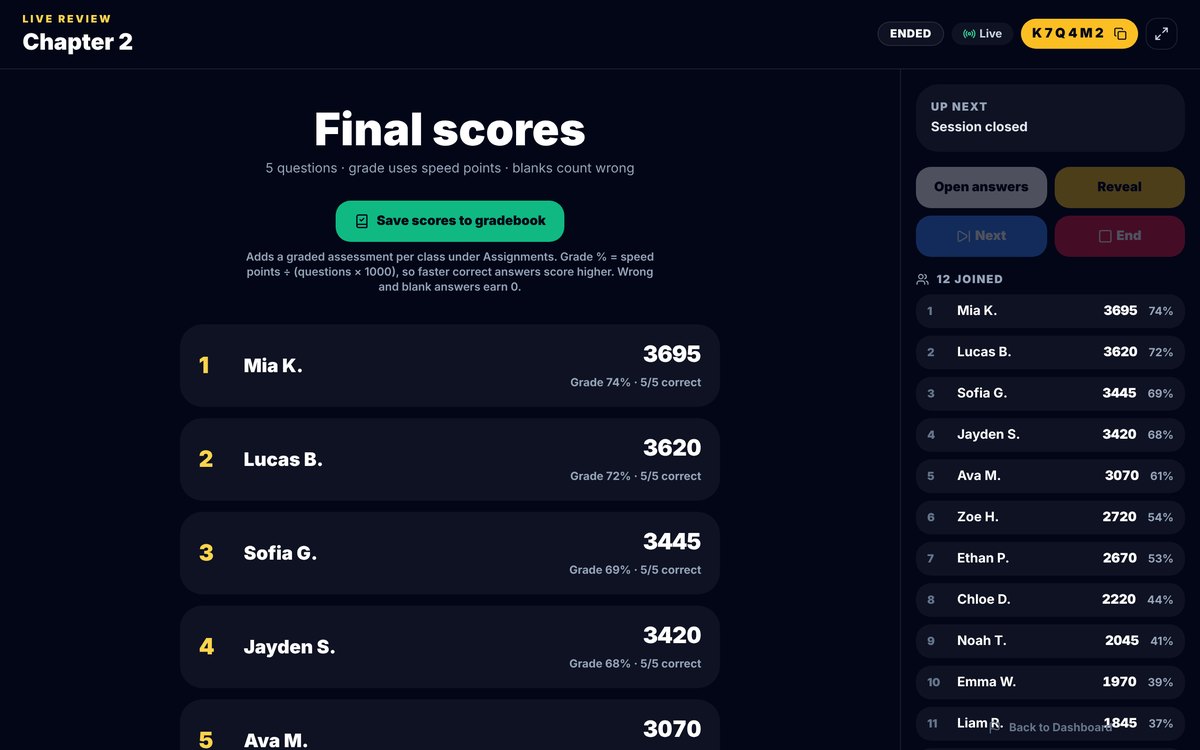
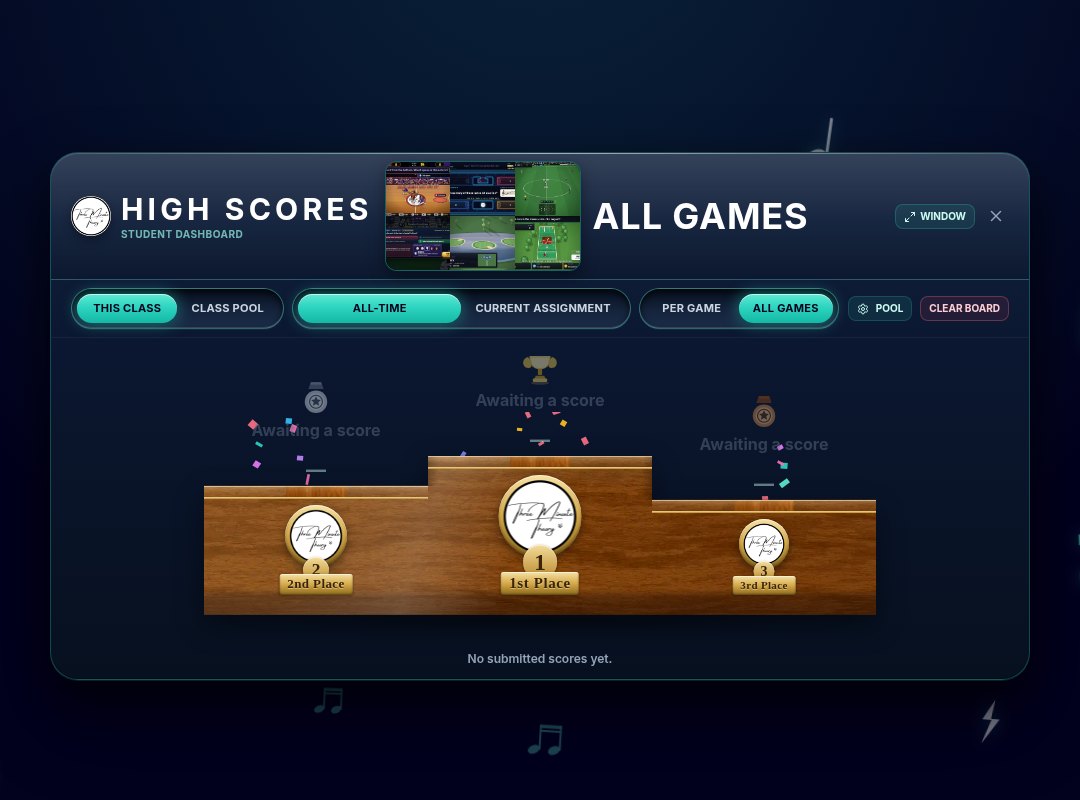
Close with Live Review on that chapter: phones as pads, 3 to 5 questions, save scores. It takes the last 8 minutes and tells you what to reteach tomorrow. Live Game Challenge is another closer if you want several games and a High Scores board instead of a single lesson review.
Sample Week of Centers Themes
- Monday: Time signatures (Chapter 3). Trivia + Rumbler + worksheet.
- Tuesday: Eighth notes (Chapter 13). Basketball + Rhythm Racer + worksheet.
- Wednesday: Key signatures (Chapter 8). Trivia + Pitchy Bird + Assessments.
- Thursday: Ear training (Chapter 38). Listen Up Trivia + pulse tools + reflection slip.
- Friday: Mixed review. Live Game Challenge using the week's chapters, or Plan a Sub Day if you will be out.
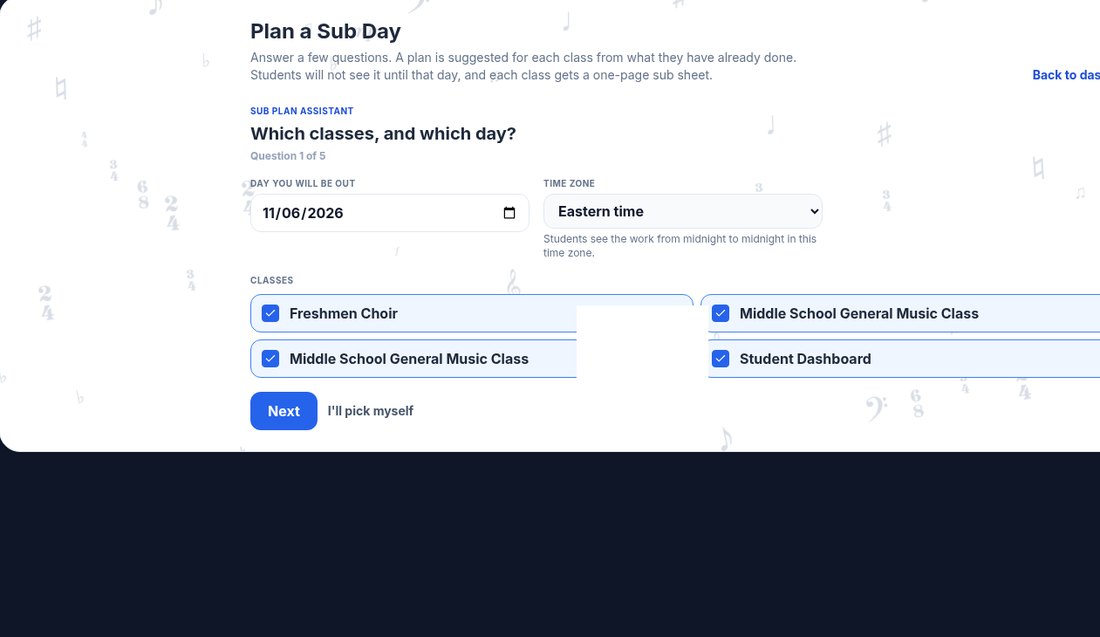

For sub-heavy weeks, pair this with our music sub plans post. For a yearly sequence of which chapters to center when, use the music theory curriculum map. Bell-style openers that can become Station 1 are in music theory bell ringers.
Classroom Management Tips That Save the Period
- Preview Station 1 as a whole class for 60 seconds so nobody can claim they do not know the login or chapter number.
- Put timers on the board. Eight minutes means eight minutes.
- Assign roles. One device captain per group. Everyone else still answers.
- Keep Melody Maker off the cards for now. Stick to Trivia, sports games, Rumbler, Racer, Astro-Rhythm Rampage, Drum Dropper, Pitchy Bird, worksheets, Assessments, Live Review.
- End on the instruments or voices. Even a 45-minute centers day should sing or play the skill once together.
Start Tomorrow
Pick one chapter you are already teaching, write four station cards, and run a single rotation day. You do not need a perfect playlist of six centers. You need one lesson, one game, one rhythm tool, and one written check. If you teach band meter next, see how to teach time signatures in middle school band. If you teach strings, see music theory for orchestra.
Ready-made lessons and games for centers live at ThreeMinuteTheory.com. Try Three Minute Theory free for 7 days, or jump to the band, choir, or orchestra pages for ensemble specific overviews. For sight-reading stations, add SightReadQuest beside TMT, and find more classroom ideas from founder Matthew Gawronski at MatthewGawronski.com.