Music Sub Plans That Still Teach
How a sub with no music background can run a real music theory lesson, with a sample 45-minute plan and a checklist for your sub folder.
Every music teacher knows the feeling. You wake up sick, or a field trip lands on your rehearsal day, and now someone with no music background is going to stand in front of your choir, band, or orchestra. Most music sub plans give up on teaching anything. Students watch a movie, color a worksheet, or "just practice," which usually means nobody practices.
It does not have to be that way. A sub does not need to read music to run a real music theory lesson. They need clear steps, content that does the teaching for them, and a built-in way to check the work. This post explains what makes a music sub plan actually work, and exactly how a sub can run Three Minute Theory lessons and games, even if they have never played an instrument.
Why Most Music Sub Plans Fall Apart
Music is one of the hardest classes to cover. Here is why:
- The sub cannot model anything. They cannot sing a pitch, demonstrate a rhythm, or tell when the trumpets are flat.
- Instruments add risk. A sub handing out cellos and mallets is a gamble. Most of us tell subs to keep instruments in their cases.
- The plan relies on the teacher. "Review measures 20 to 40" means nothing to someone who cannot read the score.
- There is no accountability. If nothing is collected or scored, many students treat the day as a free period.
A good music sub plan solves all four. The content teaches, students stay in their seats, the steps are written so anyone can follow them, and every student produces something you can check when you get back.
What a Music Sub Plan Needs
Before we get to the tools, here is the checklist I use. A sub plan that still teaches something should have:
- A short, scripted opening. The sub reads two or three sentences, and then the lesson starts.
- Content that explains itself. A video or interactive lesson does the explaining, so the sub only has to press play.
- A clear order of activities with times. "10:05 to 10:10, lesson. 10:10 to 10:20, game." Subs love a schedule.
- A check for understanding. A quiz, a game score, or a worksheet that shows who learned the concept.
- A no-tech backup. Wi-Fi goes down. A printed worksheet saves the day.
- Review, not new material. Pick a concept your students have already seen. A sub day is a great day for practice, not for brand-new skills.
How Three Minute Theory Helps
Three Minute Theory was built so the teaching lives in the lessons, not in the person at the front of the room. That is exactly what a sub needs. Here is how each piece works on a sub day.
Video Lessons That Do the Teaching
Each Three Minute Theory lesson is a video of about three minutes. The video explains the concept, asks questions, and shows the answer. When a student picks a wrong answer, a short video of 30 to 60 seconds explains that idea again. Your sub does not need to know what a dotted quarter note is. The lesson knows.
There are 10 volumes and 100 chapters, from Treble Clef vs. Bass Clef in Volume 1 to The Science Behind Sight Reading in the Sight Reading Volume. So you can always find a chapter that reviews what your class is working on.
Sequences: Your Sub Plan in One Playlist
This is the part I use most for sub days. A Sequence is a playlist of activities you build ahead of time. You can add chapter lessons and review games, plus three simple slide types that are perfect for a sub:
- Custom Text Instructions for written directions, like "Get out a pencil. Your teacher will check this tomorrow."
- Discussion Prompt slides for a quick turn-and-talk question.
- Stretch/Transition Break slides with a timer, to split up a long class period.
A Sequence can be delivered two ways. In Live mode, it runs on the room screen and the presenter clicks Next Activity to move on, then Finish Lesson at the end. In Independent mode, you assign it to a class with a title, instructions, and a due date, and students work through it at their own pace on their own devices. Both modes track completion, so you know who finished.
For most subs, Independent mode is the easiest. You assign the Sequence before you leave. Students who have already joined your class with its class code sign in and see it on their dashboard. The sub's job is to take attendance, put the directions on the board, and walk around.
If your sub will present from your classroom computer instead, set the Sequence up there before you leave, following your school's rules for sub access. Then the whole plan is one button: Next Activity.
Review Games With a Score You Can Check
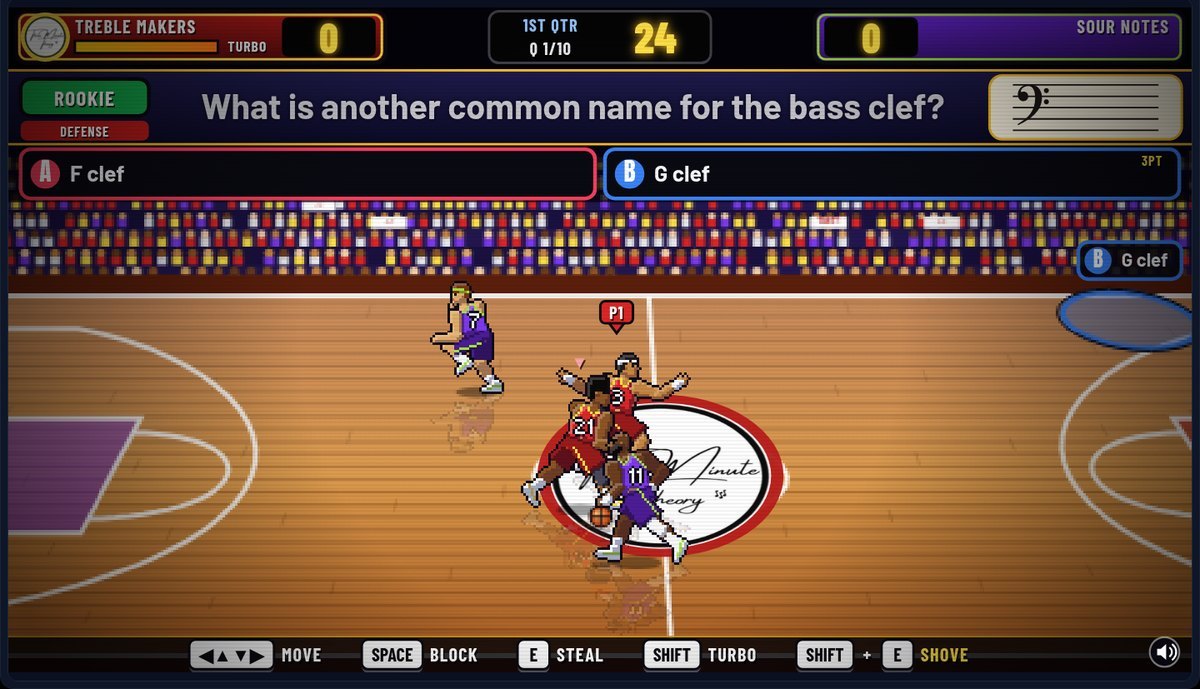
On the teacher dashboard, you can pick games By Game or By Chapter, and any game can play any chapter. When you assign a game, you choose a level: Easy (elementary), Medium (middle school), or Hard (high school). You can add a due date and turn the class leaderboard on or off. Students can replay as often as they like, and their grade is their best accuracy.
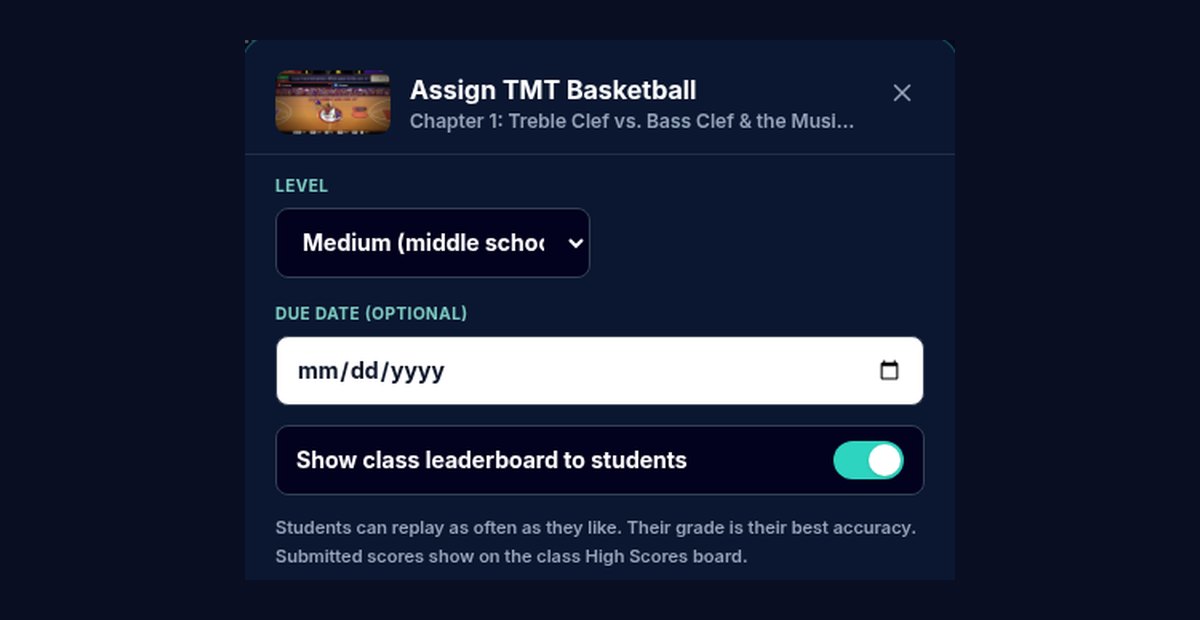
That "best accuracy" rule is great for sub days. Students who finish early have a reason to keep playing and improve their score, instead of pulling out their phones for something else.
Live Review for a Whole-Class Quiz
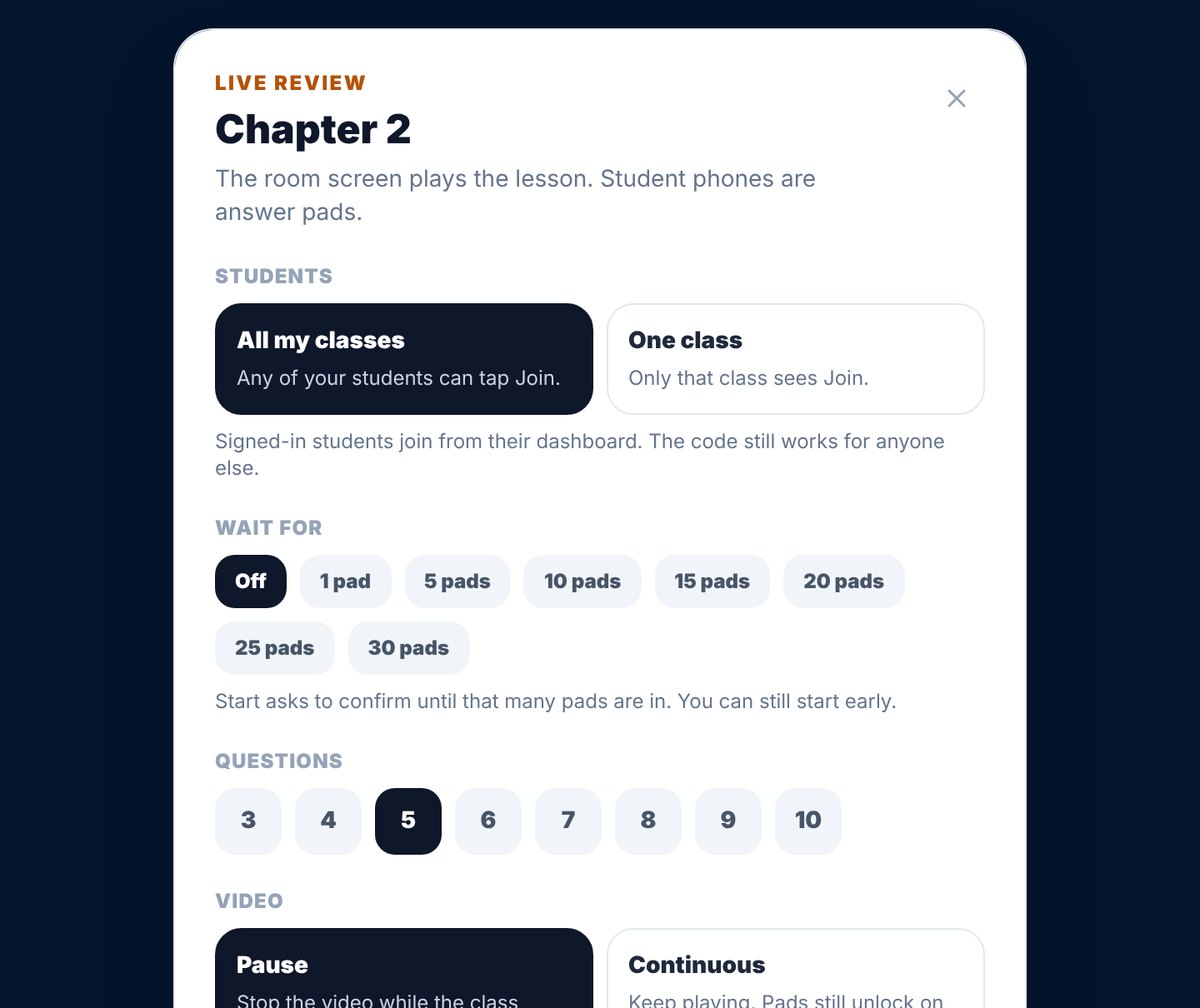
If your students have phones or Chromebooks, Live Review makes a great closing activity. The room screen plays the lesson, and student phones become answer pads. Students who are signed in tap Join Live Review on their dashboard, so no one has to read a code out loud. There is a join code too, if anyone needs it.
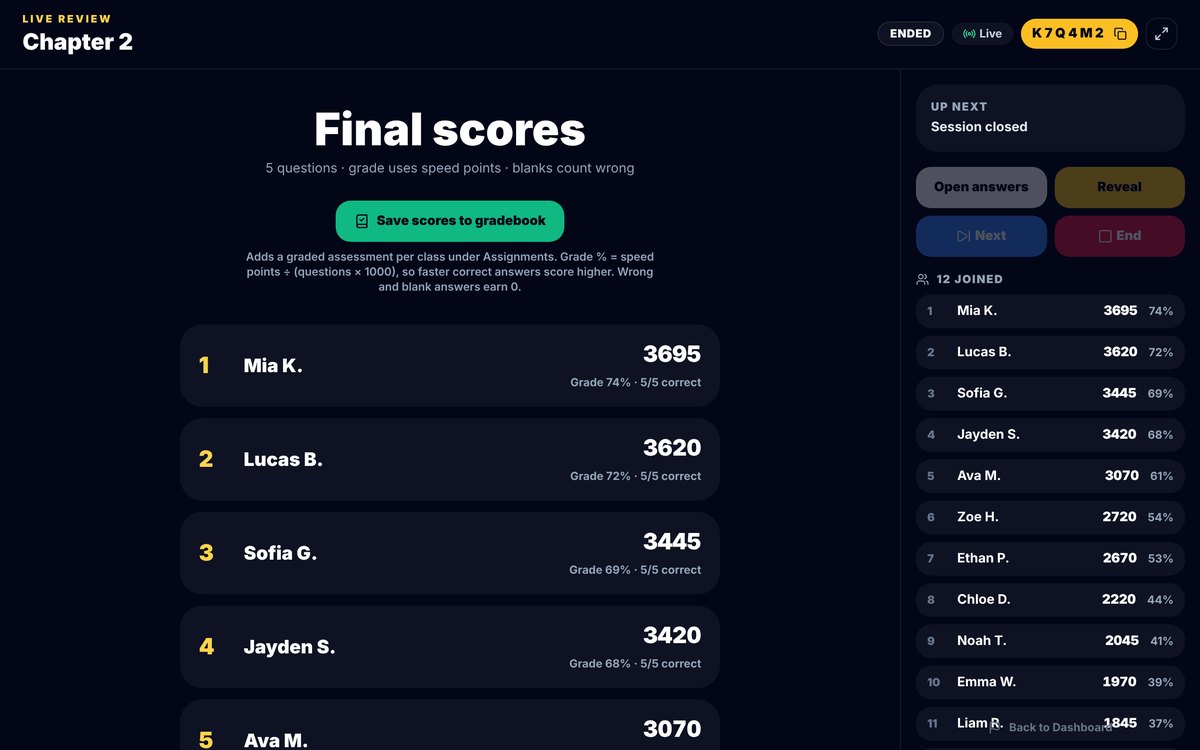
At the end, a Final Scores screen ranks the class and offers a Save scores to gradebook button. Live Review runs from the teacher dashboard, so it works best when your sub is presenting from your computer. If not, save Live Review for the day you get back and use it to see what stuck.
Printable Worksheets and Answer Keys
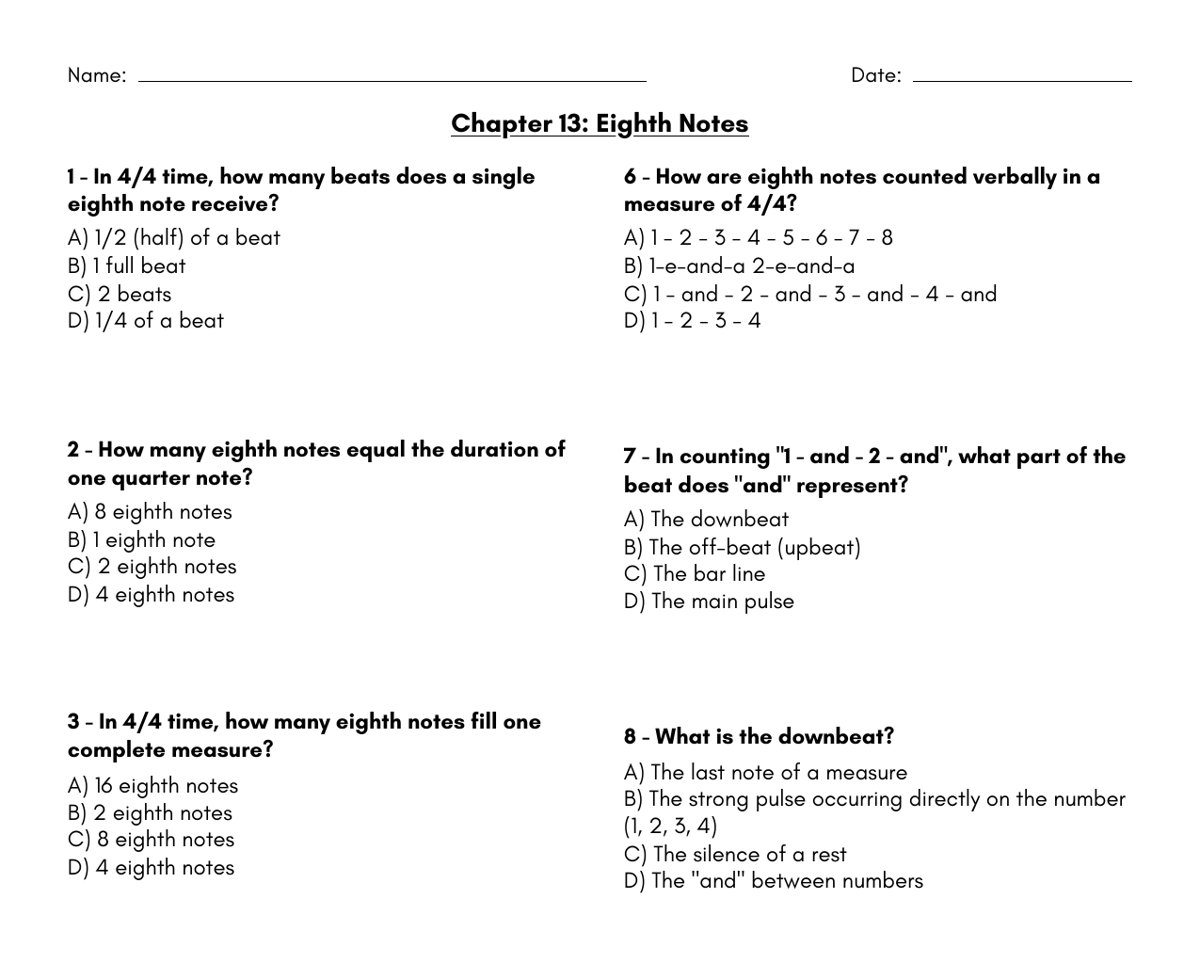
Every chapter comes with a two-page printable worksheet, and the answer key is on page two. Print the worksheet for the chapter in your Sequence, and leave it as the no-tech backup. If the Wi-Fi works, students can use it as an exit ticket. If it does not, the sub hands it out and the day still teaches something. (During the free trial, printable PDFs stay locked.)
Already Have a Sub Plan Bundle?
On the Three Minute Theory store, the Music Lesson Plan MEGA Bundle is a set of 10 reusable, editable music lessons built as Google Form lesson plans with video-based questions. It is a separate download, and it works well for days when you want a ready-made plan with no setup at all.
A Sample 45-Minute Music Sub Plan
Here is a plan you can copy. It uses Chapter 13, Eighth Notes, but any chapter your students have seen will work.
- Minutes 0 to 5: The sub takes attendance and reads the opening script. Students sign in to Three Minute Theory.
- Minutes 5 to 10: Chapter 13 lesson in the Sequence. Students answer the questions as they go.
- Minutes 10 to 12: Stretch/Transition Break slide with a timer.
- Minutes 12 to 25: A review game on Chapter 13, Medium level. Students replay to beat their best accuracy.
- Minutes 25 to 28: Discussion Prompt slide: "Find a measure with eighth notes in your concert music. Show a partner how you would count it."
- Minutes 28 to 40: The Chapter 13 worksheet, done on paper.
- Minutes 40 to 45: Students turn in the worksheet. The sub notes anyone who did not finish.
For a shorter class, drop the worksheet and keep it for the no-tech backup.
What to Leave for the Sub
Keep a single page in your sub folder with:
- The opening script. "Your teacher has a lesson ready for you. Sign in to Three Minute Theory and open the assignment called Sub Day: Eighth Notes. You have until the end of class."
- The schedule above, with your real class times.
- One line on instruments: "Instruments stay in their cases today."
- A seating chart and the names of two helpful students who know how to sign in.
- Where the printed worksheets are.
If you teach several ensembles, build one Sequence for each and name them clearly, like "Sub Day: Band 3rd Period."
Notes for Choir, Band, and Orchestra
Choir: Pull a chapter from The Choir Volume, like How to Read a Choral Score or Vowel Shapes. Singers can learn a lot about their own part with no accompanist in the room.
Band: Rhythm chapters are a great fit. If your band uses Rhythm Rumbler, students already know the counts-then-no-counts routine, and a sub presenting from your computer can project it for clapping with no instruments needed. For more ideas, see our post on band rhythm games for reading.
Orchestra: Try the bonus chapter, The Alto Clef, so violins and cellos finally understand what the violas are reading.
Keep One Emergency Plan Ready
The sub day you plan for is easy. The one at 5:30 in the morning is the hard one. Build one emergency Sequence now on a skill your students always need, like reading notes in their clef, and leave it unassigned. When you wake up sick, you only have to assign it to the right class and add a due date.
If you are not sure which chapter to use, our music theory curriculum map shows which concepts fit each month of the year.
Frequently Asked Questions
What should be in a music sub plan?
A short script for the sub, a lesson that teaches on its own, a timed order of activities, a check for understanding, and a printed backup in case the technology fails.
Can a sub with no music background teach music theory?
Yes, if the content does the teaching. With video lessons that explain each concept and correct wrong answers, the sub only needs to start the lesson and keep the room on task.
Should students play instruments on a sub day?
Usually not. Most directors keep instruments in their cases with a sub. Theory lessons, rhythm clapping, and review games keep students learning without the risk.
How do I know students did the work?
Use activities that save a score. In Three Minute Theory, Sequences track completion and assigned games record each student's best accuracy, so you can check the results when you get back.
Getting Started
Build one Sequence this week, print one worksheet, and put a single page in your sub folder. Your next sub day will look very different.
If you want lessons, games, and worksheets ready for that folder, you can try Three Minute Theory free for 7 days at ThreeMinuteTheory.com. For students who want extra sight-reading practice, our sister app SightReadQuest lets them sing or play into a mic and see right and wrong notes on the staff as they go. And for more classroom ideas from founder and choir director Matthew Gawronski, visit MatthewGawronski.com.